
School security systems: A complete guide for K-12 and university administrators
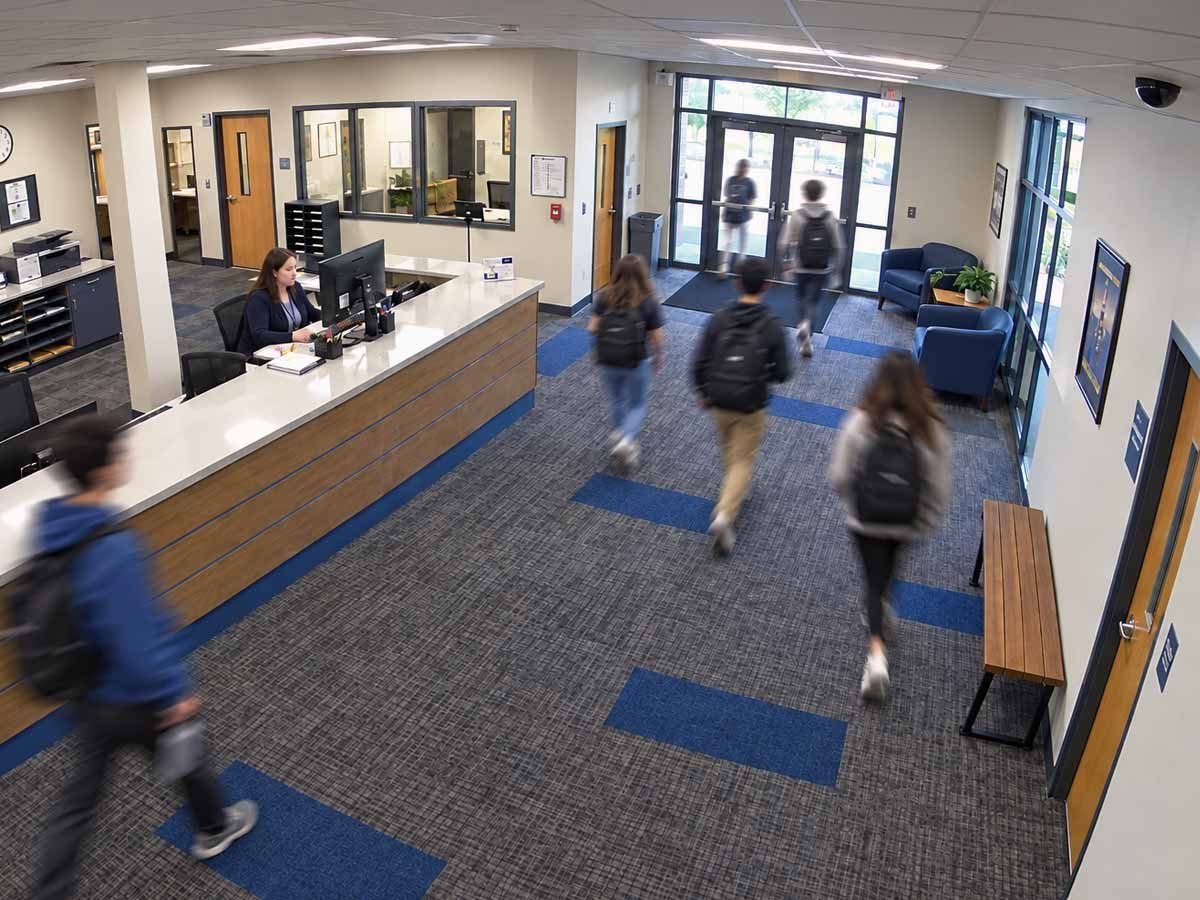





A school security system is the integrated set of access control, video surveillance, alarm, and visitor management technology that controls who enters a campus and triggers a response when something is wrong. Every administrator responsible for campus security has to answer three questions in sequence: what school security software and hardware the campus needs, who designs and installs the system, and who monitors it once it is live.
The technology a school chooses defines what it installs and operates, so the first decision shapes the other two. Installation and daily operation continue for the life of the system, and they determine whether a campus remains secure. The best security systems for schools are built and monitored by one accountable team that protects a campus through years of staff turnover, expansion, and evolving threats.
What are school security systems?
A school security system is a coordinated set of technologies and procedures that controls who enters a school, monitors activity across the property, and alerts staff and responders when something needs attention. There are four core components.
- Access control governs entry at doors and gates.
- Video surveillance records and verifies what happens at those points and across common areas.
- Alarms and sensors detect intrusion, forced entry, and triggered panic buttons.
- Visitor management handles the contractors, parents, and guests who do not carry permanent credentials.
A system is the integration of these parts under one management framework. On its own, a camera only records, and a reader only unlocks a door. These parts become a program when the components share information, and every alert triggers a defined response.
How does a school security system work?
A school security system works by verifying a credential at an entry point, granting or denying access based on that check, and recording the event so it can be monitored and reviewed. The sequence is the same whether the credential is a card, fob, PIN, or phone.
| Step | What happens |
|---|---|
| Credential presented | A student, teacher, or visitor presents a card, fob, PIN, or mobile credential to a reader. |
| Credential verified | The reader sends the credential to the platform, which confirms whether it is valid and permitted at that door and time. |
| Access granted or denied | A valid credential unlocks the door. An invalid one is rejected, and the door remains locked. The event can trigger an alert. |
| Event recorded | The platform logs who entered, where, and when, and makes that record available to the monitoring staff. |
-
Credential presented
What happens
A student, teacher, or visitor presents a card, fob, PIN, or mobile credential to a reader.
-
Credential verified
What happens
The reader sends the credential to the platform, which confirms whether it is valid and permitted at that door and time.
-
Access granted or denied
What happens
A valid credential unlocks the door. An invalid one is rejected, and the door remains locked. The event can trigger an alert.
-
Event recorded
What happens
The platform logs who entered, where, and when, and makes that record available to the monitoring staff.
A logged event is only useful if someone acts on it. That is why the recording should be sent to monitoring. When the components are integrated, the relevant camera is displayed, the active credentials nearby are visible in the access log, and the full picture is placed in front of whoever is responsible for the response.
Why school security has changed
School security no longer relies on standalone products or occasional local monitoring. Integrated platforms and continuous response are now the baseline. Two factors account for the shift.
The first is regulation. Alyssa's Law, first enacted in New Jersey in 2019, requires K-12 schools to install silent panic alarms connected directly to law enforcement. Since then, a growing number of states have adopted their own versions, and more are considering them. Under mandates of this kind, districts adopt documented, verifiable systems in place of ad hoc equipment.
The second is the shift to unified platforms. Schools are replacing separate tools with school security software that ties access control, video, alarms, and visitor management into a single view. The 2025 State of Security and Identity Report from HID found that 67% of security leaders and 73% of integrators and consultants recognized this move toward software-driven, unified security.
AI-assisted detection is part of the same shift. Analytics no longer only records for later review. It identifies defined events as they happen, such as a person entering a restricted area, a door held open too long, or a crowd forming where one should not. Analytics detects but does not respond, so a flagged event still needs someone assigned to act on it. AI increases how much a system can detect but does not determine who responds.
A school security system bought today is expected to integrate, scale across buildings, and support a response. Recording an incident is no longer enough.
The core components of a school security system
A school security system is built from four components. Each has a specific function, and the real benefit is coordination under one platform.
| Component | What it does | Why it matters on a campus |
|---|---|---|
| Access control | Controls entry at doors and zones | Keeps unauthorized people out and creates an entry record |
| Video surveillance | Records and verifies activity | Confirms who used a credential and provides responders a live view |
| Alarms and sensors | Detect defined events | Trigger notification and lockdown, including required panic alarms |
| Visitor management | Handles non-credentialed people | Controls parents, contractors, and guests without a sign-in sheet |
-
Access control
What it does
Controls entry at doors and zones
Why it matters on a campus
Keeps unauthorized people out and creates an entry record
-
Video surveillance
What it does
Records and verifies activity
Why it matters on a campus
Confirms who used a credential and provides responders a live view
-
Alarms and sensors
What it does
Detect defined events
Why it matters on a campus
Trigger notification and lockdown, including required panic alarms
-
Visitor management
What it does
Handles non-credentialed people
Why it matters on a campus
Controls parents, contractors, and guests without a sign-in sheet
Access control
Access control governs who enters which areas, at what times, and under what conditions, covering exterior doors, interior zones such as labs and administrative offices, and after-hours entry. Modern access control uses key cards, fobs, PINs, and mobile credentials administered from a central platform. On a school campus, a science lab, a records room, and a gymnasium each carry distinct permissions, so a teacher's credential grants access only to what their role requires. School access control systems handle this at the door, across every reader and credential type on campus.
Video surveillance
A credential confirms that an authorized card was presented. Video surveillance confirms who presented it. Cameras paired with analytics detect unusual activity as it occurs and provide responders a live view during an incident. On a campus, cameras are placed at entrances, corridors, stairwells, and parking areas, covering spaces staff cannot physically watch during a school day. Which security cameras for schools a campus needs, and where they go, depends on the entry points, corridors, and blind spots each building has.
Alarms and sensors
Alarms and sensors detect defined events such as forced entry, a propped door, broken glass, or a pressed panic button. Under Alyssa's Law, silent panic alarms connected to law enforcement are now required in a growing number of states. On a school campus, these sensors also cover the side and rear entrances away from the front office, the doors most likely to be propped open and least likely to be seen. School alarm systems handle detection at those points, and lockdown and door lock systems control what happens at the classroom door once an alert goes out.
Visitor management
Visitor management handles everyone without a permanent credential, including parents, substitute staff, contractors, and vendors. A visitor management system verifies identity at check-in, issues temporary access, and removes that access automatically when the visit ends. Without one, the front office depends on a paper sign-in sheet and a staff member's memory. On a campus, a school visitor management system matches every parent, substitute, and contractor against watch lists before entry and gives the front office a live record of who is inside during a lockdown.
When the four components are integrated, there is one record of who is on campus and what is happening. When they are not, there are four disconnected logs and four vendors to call.
K-12 vs. university security systems
The difference between K-12 and university security systems is scale and openness, and it determines how each is designed and monitored.
A K-12 school is usually a defined perimeter with a controlled number of entrances. The security model is built around keeping the building sealed during the day, managing a single visitor stream through a front office, and using lockdown and door lock systems to secure classrooms quickly in an emergency. Many K-12 campuses are single or small clusters of buildings, so the technology remains comparatively limited in scope.
A university has many buildings, high foot traffic, residence halls open around the clock, and students and staff who move between buildings throughout the day. Campus security systems must manage thousands of credentials, dozens of buildings, and continuous after-hours access simultaneously. Standalone products rarely perform well at that scale.
| Factor | K-12 | University |
|---|---|---|
| Footprint | One building or a small cluster | Many buildings across a campus |
| Access pattern | Sealed during the day, controlled entry | Continuous, high-volume, after-hours |
| Visitor volume | Lower, routed through a front office | High and constant across sites |
| Monitoring demand | Focused, but often understaffed | Too large for a single on-site team |
-
Footprint
K-12
One building or a small cluster
University
Many buildings across a campus
-
Access pattern
K-12
Sealed during the day, controlled entry
University
Continuous, high-volume, after-hours
-
Visitor volume
K-12
Lower, routed through a front office
University
High and constant across sites
-
Monitoring demand
K-12
Focused, but often understaffed
University
Too large for a single on-site team
University scale also raises a question K-12 administrators can sometimes postpone. When a campus is this large and this open, who is watching it all at every hour? Self-monitoring becomes far more difficult as the number of buildings and credentials increases.
Integrated vs. standalone systems
An integrated school security system connects access control, video, alarms, and visitor management into one platform, so detection is backed by a response.
Standalone products each do one job, and when bought from different vendors, they operate in isolation. Detection alone results in records without a response.
An integrated system changes that. When a forced door triggers the alarm, the location is displayed on the connected cameras, the active credentials are visible in the access log, and a monitoring operator acts on all of it together. The benefit of an integrated school security system is that every alert has context and an owner.
This is the flaw in evaluating a school security system as a shopping list of the best individual products. A campus can own excellent cameras, readers, and alarms and still have no security program if nothing connects them and no one is assigned to respond.
Who installs and monitors school security systems?
There are three common operating models, and they differ in who owns the system once it is installed.
- Self-managed
The school buys the hardware, and the staff runs it. The district is responsible for every task after installation, including monitoring, maintenance, credential updates, and incident response. This setup provides full control, but it also requires a fully staffed team. On a busy campus, reviewing and offboarding processes are often among the first tasks that teams neglect to keep up to date. - Integrator-installed with no ongoing ownership
A vendor designs and installs the system, hands over the credentials, and moves on. The equipment works on day one. Monitoring, maintenance, and response remain the school's responsibility, or become another set of contracts to manage. - Fully managed
One provider is responsible for designing, installing, monitoring, and maintaining the system under a single contract. Around-the-clock monitoring, maintenance, and updates are included. The school sets the policy, and the provider operates the system.
Consider a propped-open side door at 2:00 a.m. In a self-managed setup, the sensor fires to a dashboard no one is watching until morning, and the record is all the school has the next day. In an integrator-installed setup, the equipment logs the event correctly, but the log remains with the school, and the vendor's job already ended at handover. Where access control, cameras, and monitoring come from three different companies, each one captures only a fragment of the situation.
The gap most schools underestimate is the one between these models. Some product vendors now add a monitoring layer on top of hardware they did not build, which helps narrow the gap. However, this does not fully resolve the issue, as the equipment and the service still belong to different companies.
Under a managed security model, you work with one accountable partner for the entire security lifecycle. A single company designs, manufactures, installs, monitors, and maintains the system, so responsibility is never in question when something fails. Kastle has operated this way for over 50 years, protecting more than 10,000 properties and 60,000+ businesses across the United States and Australia. When something needs attention, there is one call and one owner, with no gap between who built the system and who stands behind it.
What does a school security system cost?
The cost of education security systems depends on the campus, so ranges and cost drivers are more useful during budget conversations. Four factors account for most of the variation.
- Number of buildings. More buildings mean more readers, cameras, and network infrastructure.
- Number of entry points. Every controlled door requires additional hardware and installation labor.
- Technology mix. Access control alone is less expensive than deploying a fully integrated system with video, analytics, and visitor management.
- Deployment and operating model. A cloud-based, managed system eliminates the need for a large upfront investment, replacing it with predictable operating expenses. An on-premise, self-run system may have lower initial costs but typically incurs higher internal staffing and maintenance expenses.
The most overlooked cost is not on the invoice. A self-managed system requires staff time for monitoring, updates, and administration, and that labor is a recurring expense regardless of whether it is included in the budget.
A managed model includes those responsibilities in the service. Because pricing varies so widely, treat any published per-door or per-campus figure as a rough anchor and request a quote scoped to your buildings.
School security grants and funding
Federal and state funding can offset a meaningful share of a school security system. Knowing which program covers which cost matters as much as knowing the amounts. Three sources matter most.
- The COPS School Violence Prevention Program (SVPP) funds physical security technology such as metal detectors, locks, lighting, and other deterrent measures. The FY26 notice anticipated up to $73 million, with a maximum federal share of $500,000 per award and a local match requirement of at least 25%.
- The STOP School Violence Act, administered by the Bureau of Justice Assistance, funds training, threat assessment, and anonymous reporting systems. The FY26 notice anticipated up to $111.1 million in total. Note the split, because SVPP pays for equipment and STOP does not.
- State funding tied to Alyssa's Law. As states adopt Alyssa's Law, some have appropriated grant money to help schools comply.
Program amounts and deadlines change each cycle, so verify current figures before citing them in a plan.
How to choose a school security system: A checklist
The best way to choose a school security system is to evaluate it against operating criteria and to treat post-installation accountability as a requirement. Work through the following.
- Coverage. Run a physical security assessment to map every entry point, interior zone, and outdoor area that needs protection before comparing school security products. The system should match the campus.
- Integration. Confirm that access control, video, alarms, and visitor management operate as one platform. Ask specifically whether components from different makers share data in real time.
- Scalability. A K-12 district that plans to add buildings, or a university expanding a campus, needs a system that expands through configuration, without requiring a full replacement. Cloud-based platforms scale more readily than on-premise ones.
- Compliance. Check that the system meets your state's requirements, including Alyssa's Law panic-alarm mandates where they apply, and that it produces the audit records school security compliance standards expect.
- Monitoring model. Decide whether staff will monitor the system or a provider will. Be honest about the hours your team can realistically cover.
- Accountability after installation. Ask who is responsible once installation is complete. Confirm who monitors overnight, who maintains the hardware, and who is accountable when something fails. A single accountable owner removes the finger-pointing and the gaps between vendors.
- Vendor track record. Before signing, evaluate security companies for schools based on experience, response times, and history in education or comparable environments.
Vendor track record often influences the rest. A provider that owns the full lifecycle, from design through ongoing maintenance, resolves the accountability question by default.
Frequently asked questions
A school security system is a coordinated set of technologies and procedures that control who enters a school, monitor activity across the property, and alert staff and responders when something needs attention. Its core components are access control, video surveillance, alarms and sensors, and visitor management, working together under one management framework.
The cost depends on the number of buildings, the number of controlled entry points, the technology mix, and whether the system is self-run or managed. A single-building K-12 deployment is at the low end, while a multi-building university system is at the high end. A Kastle security expert can assess your requirements and provide a tailored quote.
K-12 systems focus on a defined perimeter, controlled daytime entry, and rapid lockdown, usually across one building or a small cluster. University systems manage many buildings, high foot traffic, and continuous after-hours access across a large, open campus. The larger the campus, the more challenging self-monitoring becomes.
A self-run system gives a district full control but requires the internal team to handle monitoring, maintenance, updates, and response every day. A managed system moves those tasks to a provider under one contract. Schools without a dedicated security team, or with more buildings than staff can cover, usually find that a managed model addresses the gaps a self-run system does not.
AI-assisted analytics improves detection by flagging unusual activity, such as an unrecognized person at a restricted door, as it happens. Without a monitored response, detection alone does not address the incident. AI works best as one layer inside an integrated, monitored system.
Buying hardware directly makes the school the operator. The district owns monitoring, maintenance, and response after installation. Under a managed approach, one provider is responsible for design, installation, monitoring, and maintenance, with a single accountable owner for the system's performance over its full life.
Tell us about your project and our team will follow up.