
School security cameras: How to choose and manage a surveillance system for your campus
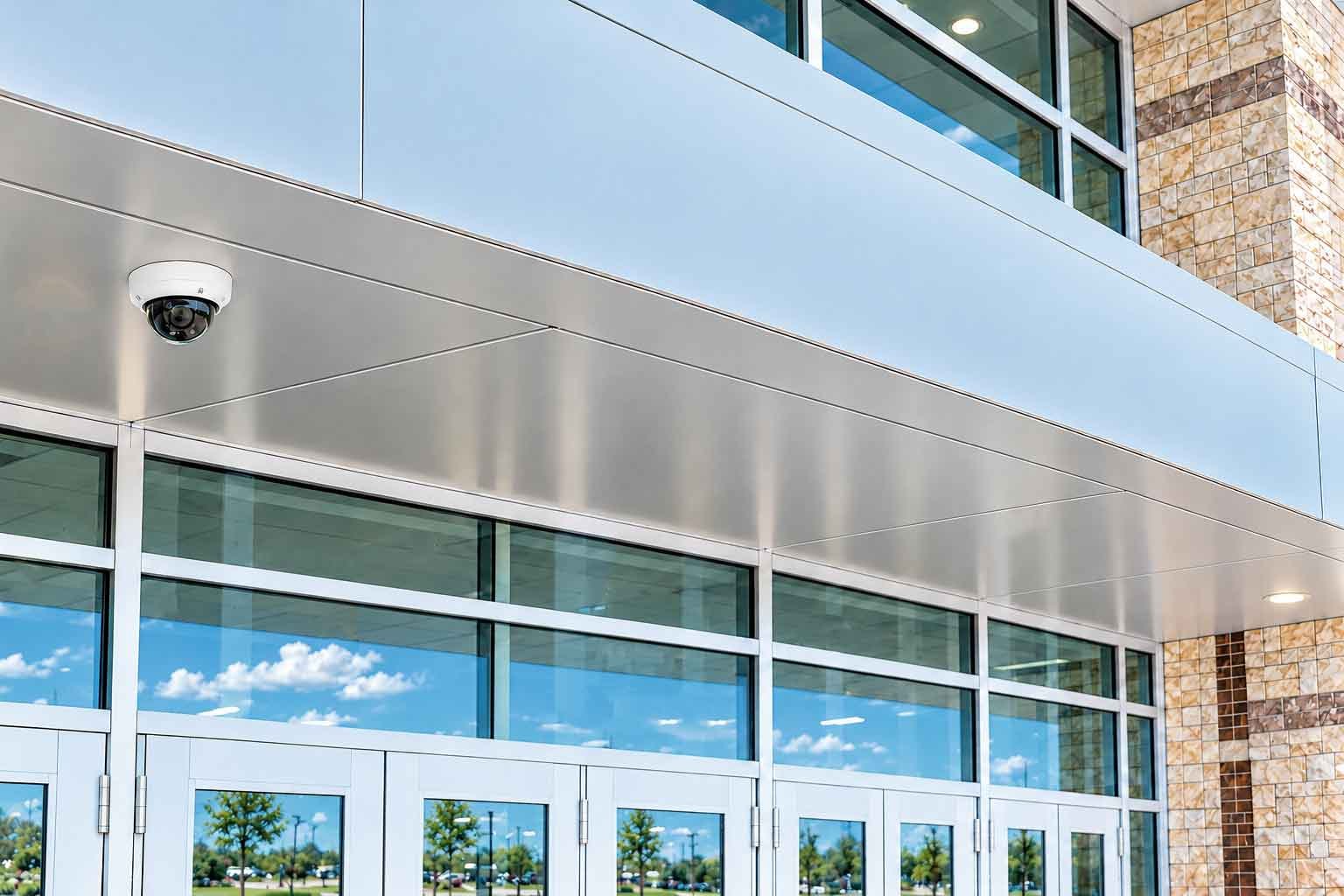





A school security camera records what happens. Whether anyone is watching that footage in real time is a separate question, and for most schools the honest answer is that no one is. Understanding the gap between recording and watching is the most important step before buying security cameras for schools.
School security cameras are the video devices and software that capture, store, and help staff review activity across a campus. School security camera systems tie those cameras to storage and a video management platform, so footage from every building lands in one place. Video surveillance in schools is now standard equipment, and most school camera systems run on networked or cloud storage. What varies between systems, and what decides whether a camera helps during an emergency, is what happens to the video after it is captured. Cameras are just one layer of school security systems, including access control, alarms, and visitor management.
This guide covers how these systems work, the main camera types, the audio and classroom rules that trip schools up, how long footage is kept, what a system costs, and the question most vendors skip. Who is watching the feed?
Do school security cameras record audio?
Most school security cameras can capture audio, but whether they should is a legal question, and the answer depends on your state. This is where buyers get conflicting advice, because vendors answer it differently. The accurate version is that the camera hardware often supports a microphone, the microphone is frequently switched off by default, and turning it on brings audio recording law into play.
Federal law sets the floor. The Wiretap Act (18 U.S.C. Section 2511) allows recording a conversation as long as at least one party consents, which is known as one-party consent. A number of states go further and require consent from everyone in the conversation. Video-only recording in common areas is broadly permitted, but the moment a camera captures conversation, wiretap law applies, and a school in an all-party consent state can break the law by recording audio without notice.
| The audio rule at a glance | Where it stands |
|---|---|
| Video in common areas | Broadly allowed. Standard for hallways, entrances, and grounds. |
| Audio recording | Governed by wiretap law. Federal one-party consent, stricter in all-party states. |
| The safe default | Leave microphones off until the state's consent rule is confirmed and notice is posted. |
-
Video in common areas
Where it stands
Broadly allowed. Standard for hallways, entrances, and grounds.
-
Audio recording
Where it stands
Governed by wiretap law. Federal one-party consent, stricter in all-party states.
-
The safe default
Where it stands
Leave microphones off until the state's consent rule is confirmed and notice is posted.
Treat video and audio as two decisions. Video coverage of hallways, entrances, and grounds is standard and defensible. Audio should stay off unless a school has confirmed its state's consent rule and posted clear notice. Confirm your own state's law before enabling any microphone, because the penalty for getting it wrong falls on the school.
Surveillance cameras in schools: Where they are used
Schools mainly use three camera types. PTZ cameras cover open grounds, dome or fixed cameras handle entrances and corridors, and fisheye or multisensor cameras cover wide indoor spaces. Each is chosen for what a given area needs to see.
| Zone | Camera type | What it does |
|---|---|---|
| Perimeter and grounds | PTZ (pan-tilt-zoom) | Covers large open areas like parking lots and fields, and can zoom or be steered by an operator to follow activity. |
| Entrances and doors | Dome or fixed | Discreet, tamper-resistant coverage of a set area. The workhorse for entries, lobbies, and corridors. |
| Wide indoor spaces | Fisheye or multisensor | One camera covers a whole room or a hallway intersection with a panoramic view, cutting the number of cameras needed. |
-
Perimeter and grounds
Camera type
PTZ (pan-tilt-zoom)
What it does
Covers large open areas like parking lots and fields, and can zoom or be steered by an operator to follow activity.
-
Entrances and doors
Camera type
Dome or fixed
What it does
Discreet, tamper-resistant coverage of a set area. The workhorse for entries, lobbies, and corridors.
-
Wide indoor spaces
Camera type
Fisheye or multisensor
What it does
One camera covers a whole room or a hallway intersection with a panoramic view, cutting the number of cameras needed.
The best security cameras for schools match the building. A single-story elementary school with a few entrances needs far less than a multi-building high school with athletic fields and parking structures. Match the camera to the job the location has to do, and resist the urge to hold every doorway to the same standard as the main entrance. License plate recognition cameras at vehicle entrances and vandal-resistant housings in tamper-prone areas are worth adding where the risk warrants.
Placement decides how much those cameras are worth. The highest-value positions are the ones everyone crosses: main entrances, the front office, the bus loop, hallway intersections, stairwells, and the parking lot. Cameras paired with school access control systems can show who actually used a credential at an entrance. Overlap coverage at choke points so one failed camera does not blind a whole area, and mount units high enough to discourage tampering. A camera aimed at empty space is a wasted budget, and school camera placement is where a system either earns its cost or does not.
What can AI school security cameras add?
An AI school security camera pairs an ordinary camera with software that analyzes the video and flags activity worth a look. In schools, the useful applications are down-to-earth. Analytics can search recorded video for a specific person or vehicle, so an investigation can take minutes. They can count people to show how spaces are used, and flag unusual motion in an area that should be empty after hours. Facial and license plate recognition exist and are used against watch lists, but they carry the heaviest privacy and policy burden, so they are not where most schools start. Analytics matter most when a person is watching the alerts they raise, which brings the discussion back to monitoring.
Do you need a 32-channel or 64-channel school camera system?
Channel count is simply a question of building size. A channel is one camera feed the system records, so a 32-channel system supports up to 32 camera feeds and a 64-channel system up to 64. The number you need depends on how many cameras your campus requires.
A single-building elementary or middle school often fits comfortably within a smaller channel count, covering entrances, main corridors, the office, and key exterior points. A large high school or a multi-building campus with gyms, athletic fields, parking structures, and portables usually needs the higher count, or several networked recorders working as one system. Plan for growth, because adding a wing or a portable classroom means adding cameras, and a system already near its channel limit forces a costly upgrade. Cloud and networked systems handle this more gracefully than a fixed recorder, since adding capacity is a configuration change. Kastle delivers video surveillance as a cloud-managed service.
Where is school camera footage stored?
School camera footage is stored either on-premise, on a network video recorder (NVR) in the building, or in the cloud on the provider's servers. The choice shapes cost, day-to-day access, and how much the school's own staff has to manage.
An on-premise NVR keeps video on site, which appeals to schools with strict data-control requirements. It also puts maintenance, updates, and backup on the school's IT staff, and a failed recorder can take footage down with it. Cloud storage keeps video on the provider's infrastructure, so administrators can reach it from any browser, updates happen automatically, and adding a building is a configuration change. Many districts settle on a hybrid, keeping recent footage on site for speed and pushing older footage to the cloud for retention. The heavier the retention requirement and the more sites involved, the more the cloud and hybrid models pull ahead.
Camera coverage in classrooms or common areas
Rules change by state and school district, and most districts choose not to point a lens directly at students during instruction. The phrase “classroom security cameras” usually means something narrower in practice. It typically refers to coverage of the corridor and doorway outside a classroom.
Two forces push coverage toward common areas. The first is privacy. Students and teachers reasonably expect that ordinary instruction is not being filmed, and teacher associations often oppose in-room cameras. The second is the audio rule above, since a classroom camera that records sound raises exactly the consent problem that hallway video does not. Some states add notice requirements on top of that.
The workable standard for most schools is to cover entrances, hallways, stairwells, and gathering spaces thoroughly, and to keep cameras out of classrooms, restrooms, and locker rooms. That approach captures the movement that matters for safety and avoids the legal and morale costs of filming instruction. Inside the classroom, school door lockdown devices can secure the space in an emergency, while security cameras cover the door and hallway.
How long do schools keep security camera footage?
Most schools keep security camera footage for 30 to 90 days, then let the system overwrite it automatically. The exact window depends on storage capacity, district policy, and state law.
A few points shape the decision. Some states set a minimum retention period for certain footage, so a district cannot assume 30 days is always enough. Footage tied to an incident, an investigation, or a law enforcement request is preserved separately and held well beyond the normal window. Under the Family Educational Rights and Privacy Act (FERPA), video that becomes part of a student's education record carries access and disclosure obligations, which is why schools redact other students before sharing a clip. Access to live and recorded video is normally limited to designated administrators and security staff, with a log of who viewed what. Longer retention costs more storage, so set the window deliberately against your state's rules.
What does a school security camera system cost?
The cost of a school security camera system depends on the number of cameras, the camera types, how footage is stored, and who installs and maintains the system. A handful of cameras on a single building sits at one end. A multi-building campus with analytics, long retention, and managed monitoring sits at the other. Ongoing costs for storage, maintenance, software updates, and monitoring run for the life of the system, and should be in the budget from the beginning.
Many schools miss funding routes. The federal COPS School Violence Prevention Program (SVPP) funds physical school safety technology like security cameras, and many states run their own grant programs. The Bureau of Justice Assistance’s STOP School Violence program funds training, threat assessment, intervention teams, and anonymous reporting system costs. Cameras are not eligible under every funding source, so confirm the rules for a given program before counting on it. Price the full lifecycle and check which grants apply before assuming a budget.
How disruptive is installing school cameras?
Most school camera installations run in phases and are timed around the school calendar. Pulling cable, mounting cameras, and configuring the system is the disruptive part, so districts schedule the heaviest work for summer, weekends, or after hours. A cloud or networked system shortens the on-site work, since much of the configuration happens remotely. Ask any installer for a phased plan that keeps entrances and high-traffic areas covered while the rest comes online.
Who is actually watching the school security camera feed?
Recording and watching are two different products, and most schools only buy the first. A camera that stores video lets someone review an incident after it happens. A camera someone is watching in real time can trigger a response while the incident is still unfolding. That difference decides whether video helps during an emergency or only afterward.
Continuous live monitoring by a trained person is uncommon at the school level, because staffing a 24-hour watch is expensive and few districts can justify a dedicated security operations center. So the footage sits unwatched until an incident sends someone back to it. Most vendors offering surveillance systems for schools do not close this gap. They manufacture the hardware or sell the software and stop at the sale, which leaves the school storing video it has no one to watch.
A managed video model closes the gap by pairing the cameras with people who watch them. The provider designs the system, installs it, and monitors the feeds, so a live operator can verify an alarm, confirm what a sensor detected, and dispatch help while it still matters.
Kastle manufactures many of the cameras, installs them, and monitors the feeds as one managed service, removing the need for a school to staff its own security operations center. Kastle VideoGuarding adds remote monitoring from Kastle’s security operations center, where trained operators review incidents before they escalate and respond in less than 10 seconds. Because the platform is open, Kastle connects to many cameras and access readers a school already owns, so upgrading to managed monitoring does not mean ripping out working hardware.
Kastle has run this managed model for over 50 years, protecting more than 60,000 businesses across the United States and Australia. The principle is straightforward. Security is an outcome that one partner delivers. One partner owns every stage, so there are no gaps between who built the camera, who installed it, and who answers when it sees something. One accountable partner for the entire security lifecycle.
Frequently asked questions
Most can, but many ship with the microphone off. Audio recording is governed by wiretap law, with federal one-party consent as the floor and stricter all-party consent in some states. Most schools run video only in common areas and leave audio off unless they have confirmed the state rule and posted notice.
Usually 30 to 90 days before the system overwrites it, depending on storage, district policy, and state law. Some states set minimums for certain footage, and video tied to an incident or investigation is held longer.
Rules differ by state and district. Most districts avoid pointing a lens at students during instruction. In practice, “classroom cameras” usually means coverage of the hallway and doorway just outside the room, where the movement that matters happens.
Most record continuously or on motion, so footage is almost always captured. Whether a person is watching that feed live is a separate matter, and continuous human monitoring is uncommon unless a school uses a managed service that provides it.
It depends on the number of buildings, entrances, and the areas that need coverage. A single-building elementary school needs far fewer than a multi-building high school. Cover entrances, corridors, stairwells, and grounds first, then size the channel count to that plan.
Cost scales with the number of cameras, the storage model, and whether monitoring and maintenance are included. Ongoing costs for storage, maintenance, and monitoring often outweigh the hardware over the life of the system, so price the full lifecycle. The federal School Violence Prevention Program (SVPP) can help fund a system, and many states run grant programs. A Kastle security expert can provide a custom quote.
Mainly PTZ cameras for open grounds, dome or fixed cameras for entrances and corridors, and fisheye or multisensor cameras for wide indoor spaces. License plate recognition and vandal-resistant models are added where the risk calls for them.
Access is normally limited to designated administrators and security staff, with a log of who viewed what. Under FERPA, footage that becomes part of a student's education record carries extra access and disclosure rules, so schools redact other students' footage before sharing a clip.
The technology is the same. Universities run larger, multi-building deployments of campus security cameras with more perimeter, parking, and after-hours coverage, and often add license plate recognition and analytics. A K-12 campus usually runs a smaller system focused on entrances and common areas.
Tell us about your project and our team will follow up.