
School access control systems: What to know before you buy
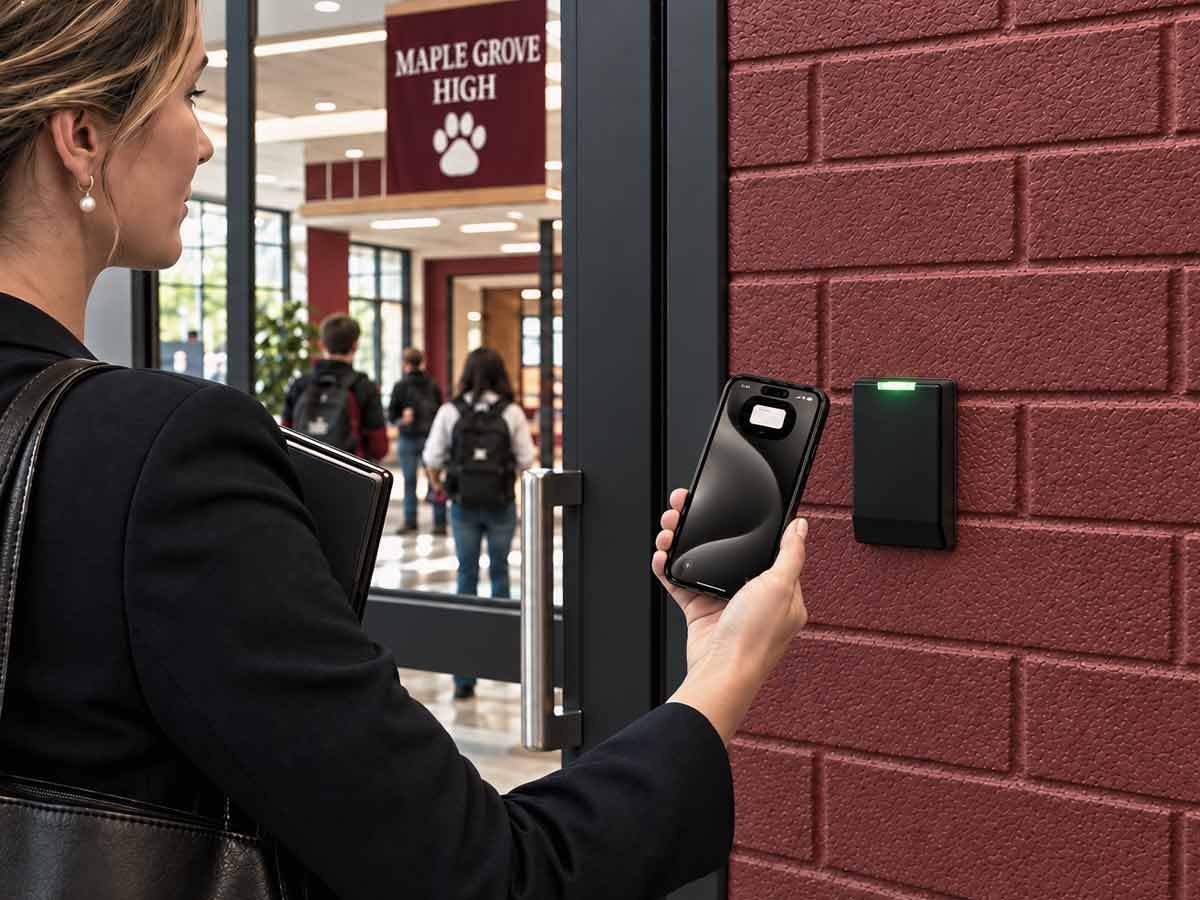





Modern school access control systems decide who can open certain doors, when, and under what conditions, and they record every attempt across the entire campus. For a district weighing an upgrade, the real question is who will run the system after it is installed and whether the parts you buy will actually work together.
That second question is where most school security programs break down. A school buys access control from one vendor, cameras from another, and a visitor system from a third. None of them share data. A door alarm means nothing if no one is watching the camera above it, and a visitor flagged at the front desk can still open a side door if the two systems are not connected.
What is a school access control system?
A school access control system includes hardware and software that governs who can enter a building or specific area, at what times, and under what conditions, and records every entry attempt. It replaces keys with electronic credentials, such as cards, fobs, mobile phones, or biometrics, and gives administrators one place to grant, change, or revoke access.
The system checks three things at every controlled door. Is this a valid credential? Is this person allowed through this door right now? And should this attempt be recorded or flagged? A traditional key opens the lock for anyone holding it, records nothing, and access cannot be revoked without changing the lock.
That difference is central to school security systems. When a staff member leaves, or a key is lost, a mechanical system requires teams to re-key every affected door. An access control system requires one click to deactivate the credential. For a campus with hundreds of staff and constant turnover, that gap in effort and risk is the entire argument for going electronic.
How does school access control work?
A school access control system works on a simple verify-then-decide cycle that repeats at every controlled door. The sequence is quick.
A person presents a credential at the access reader. The reader sends the credential to the controller or cloud platform, which verifies whether that credential is valid and permitted at that door and time. If it is, the controller unlocks the door. If it is not, the door remains locked, and the attempt is recorded. Every event, granted or denied, is logged with the credential, time, and location.
That log is one of the most useful parts of the system. It creates an auditable record of movement across campus that administrators can review after an incident or use to identify patterns, such as a credential used at an odd hour or a door propped open past schedule.
Campus access control systems by zone: Perimeter, entrances, and interior
The most useful way to plan school access control is by zone, because a campus does not need the same level of control at every door. Layering permissions by zone matches security to actual risk and keeps the system manageable, whether the campus is a K-12 school or a university with student housing.
Think of the campus in three layers:
- Exterior perimeter: Gates, parking entrances, and the outer edge of the property. Control here is about managing who reaches the buildings at all, and about closing the campus during school hours while allowing access for staff and deliveries through defined points.
- Entrances and exits: The main doors and secondary building entries. This is the busiest layer and the one most schools focus on first. The goal is to have a single monitored main entrance during the day, with other doors locked from the outside but available as exits.
- Interior sensitive areas: Server and IT rooms, main offices, records storage, science labs, and any space holding hazardous materials or private data. These doors need the tightest permissions, often limited to a short list of staff. Because they hold sensitive data and equipment, an audit trail is necessary.
Role-based permissions make this practical. Instead of setting access door by door for each person, administrators assign permissions by role. When someone changes roles, you change one role assignment.
Access control systems can trigger a building-wide lockdown, instantly locking exterior and interior doors from a single command during an emergency. This is a genuine capability of a networked system and one of the strongest reasons to move off mechanical keys, which cannot be locked remotely. The hardware that makes classroom-level lockdown work, and the specific mechanisms involved, are covered in our guide to school lockdown and door lock systems.
Types of credentials for school access control
The credential is what a person presents to prove they are allowed through a door, and the type you choose affects security, cost, and how much day-to-day administration the system requires. Schools typically choose among four, and many campuses end up using more than one.
| Credential | Strengths | Trade-offs |
|---|---|---|
| Card or fob | Low cost per unit, familiar to users, easy to issue in bulk. | Can be lost, shared, or cloned if unencrypted. Requires physical distribution. |
| Mobile (phone) | Difficult to clone, easy to issue and revoke remotely, nothing physical to hand out. | Depends on users carrying a supported smartphone. |
| PIN or keypad | No physical credential to lose, useful for shared or low-traffic doors. | Codes are shared and observed over time, which weakens them. |
| Biometric | Highest assurance, cannot be handed to someone else. | Higher cost, and fingerprint or facial data is subject to state student-privacy and biometric laws. |
-
Card or fob
Strengths
Low cost per unit, familiar to users, easy to issue in bulk.
Trade-offs
Can be lost, shared, or cloned if unencrypted. Requires physical distribution.
-
Mobile (phone)
Strengths
Difficult to clone, easy to issue and revoke remotely, nothing physical to hand out.
Trade-offs
Depends on users carrying a supported smartphone.
-
PIN or keypad
Strengths
No physical credential to lose, useful for shared or low-traffic doors.
Trade-offs
Codes are shared and observed over time, which weakens them.
-
Biometric
Strengths
Highest assurance, cannot be handed to someone else.
Trade-offs
Higher cost, and fingerprint or facial data is subject to state student-privacy and biometric laws.
Some additional considerations:
- Unencrypted proximity cards are the easiest credential to copy, so use them only on low-risk interior doors.
- Encrypted standards are far more difficult to clone. They cost slightly more per credential, which makes them the right choice for exterior and sensitive doors.
- Mobile credentials, delivered through Apple Wallet and Google Wallet, reduce the need for administration because a credential is issued to a phone remotely and removed the moment access should end, with no card to collect.
- Biometric options offer the highest security of any credential but come with real legal constraints in schools. Several states regulate the collection of student biometric data. Confirm your state's rules before specifying it.
Cloud vs. on-premise school access control
The choice between cloud and on-premise access control comes down to who will maintain the system and how easily it can scale across buildings. These systems differ in where the software and data are stored and who is responsible for keeping them running.
On-premise access control keeps the software and credential data on servers inside the building. The district owns the hardware outright and retains full control over its data, which appeals to schools with strict data-residency requirements or an existing IT team that can manage servers. The trade-off is that on-premise servers need patching, backups, and maintenance from district IT; the addition of another building requires more hardware, and if a server fails, access management fails with it until the hardware is repaired.
Cloud-based access control hosts the platform on the provider's servers. Administrators manage permissions, schedules, and alerts through a browser or app from any location. Updates are automatic, and adding doors or entire campuses requires only a configuration change. For a district managing several schools, cloud-based management centralizes everything under one dashboard, which works well for multi-site education deployments.
For most school districts, the practical dividing line is the number of sites and the size of the IT team. A single school with capable on-site IT can run either model. A multi-campus district with a small central team almost always benefits from the cloud approach, because it removes per-building server maintenance and puts every site under one view.
Why native integration beats a bolted-on API
In a typical school security purchase, access control, video, and visitor management systems are sourced from different companies. As a result, establishing connections between these systems becomes your responsibility.
Each piece is capable, but the access control system may flag a former staff member's credential while the camera above the door records the entry, and nothing will connect the two events unless someone builds and maintains that connection. When a vendor says its system "integrates with your existing cameras," integration is being sold to you as an API project with its own timeline, cost, and ongoing maintenance requirements.
There is a different model. In advanced access control for school campuses, one manufacturer builds the access control, the video, and the visitor management as a single system, so the connections are native. A door-forced alert already includes the camera view of that door. A visitor denied at the front desk cannot open a side entrance because the same platform governs both. There is no need for anyone to piece together different systems between service calls.
Visitor management and school access control
Visitor management extends access control to the people who do not have permanent credentials, such as parents, contractors, substitute teachers, and vendors. A school visitor management system handles pre-registration, identity verification at check-in, and temporary, time-limited access once someone is inside. Its value is evident when it shares data with the access control system, so a visitor flagged at the front desk cannot open a controlled door elsewhere in the building.
What does a school access control system cost?
It depends on the size and layout of the campus, so the most useful way to plan a budget is by the factors that drive cost. The main drivers are:
- Number of controlled doors: This is one of the biggest factors. Each door needs a reader, a controller connection, and often a new electronic lock.
- Type of credential: Standard cards are inexpensive. Encrypted mobile and biometric options cost more per user but reduce long-term administrative work and risk.
- Deployment model: On-premise involves higher upfront hardware and server costs. Cloud shifts spending toward a predictable subscription and removes server maintenance.
- Number of sites: A multi-campus district costs more in absolute terms but gains efficiency from centralized management.
- Integration and monitoring: Whether video and visitor management are included, and whether monitoring is handled in-house or by a provider, impacts the total cost.
Because these factors vary so much between a single elementary school and a multi-campus district, a personalized assessment is essential for obtaining a realistic estimate.
How to choose a school access control system
Start with your doors and zones. Count the entry points that need control and sort them by risk using the perimeter-entrance-interior framework above. This affects every downstream cost and design choice.
Then, consider who will operate the system after installation. A district with a strong IT team can manage an on-premise or self-managed cloud system. A district without one should carefully evaluate a managed model, where the provider handles monitoring, maintenance, and updates.
Finally, ask how the system will handle the parts you have not bought yet. A school that installs access control this year could add cameras or visitor management next. A system built to integrate natively, or one that already includes those layers, will help avoid the need for a second integration project later.
Ask providers the following questions.
- Who is responsible for the system after installation, including monitoring and maintenance?
- Is monitoring handled by your staff or outsourced to another company?
- Does the access control integrate natively with video and visitor management or through a third-party API?
- How does the system scale when we add doors or campuses?
- What happens to access management if a server or internet connection fails?
Why the operating model matters more than the hardware
The most overlooked decision in school access control is who will run the system afterward. In a traditional purchase, the installation day typically marks the end of the vendor relationship. Once the hardware is installed and the software is configured, the responsibility for monitoring, maintenance, updates, and incident response shifts to the school's facility or IT team.
For a well-staffed district, that can work. For most schools, however, security tasks end up competing with the many other responsibilities a small team handles. Credentials for departed staff remain active because no one deactivated them. Software updates are delayed, and audits are conducted after an incident. This outcome is the predictable result of expecting a small team to manage a new system alongside existing duties.
A managed access control model removes that burden. One provider designs the system, installs it, monitors it around the clock, handles maintenance and updates, and remains accountable for how it performs.
Kastle has operated this way for over 50 years, protecting more than 60,000 businesses across the United States and Australia. With one accountable partner for the entire security lifecycle, the practical benefits for schools are fewer vendors, no gap between the system installation and support, and a single point of contact when issues arise.
Frequently asked questions
It is a system of electronic credentials, readers, controllers, and software that governs who can enter a school's doors and areas, when, and under what conditions, and records every entry attempt. It replaces mechanical keys with credentials that can be granted, changed, or revoked instantly.
A mechanical key opens a lock for anyone holding it, creates no record, and cannot be revoked without re-keying the lock. An access control credential can be deactivated in one click, works only at doors and times you permit, and logs every use. For a campus with high staff turnover, that difference in control and effort is decisive.
The cost depends on the number of controlled doors, credential type, deployment model, number of campuses, and whether video and monitoring are included. A school with just one site and a handful of controlled doors would sit at the low end, while a multi-campus school district with many doors, video needs, and monitoring would sit at the high end. The most reliable way to budget is a site assessment. A Kastle security expert can evaluate your requirements and provide a tailored quote.
On-premise is suitable for schools with strict data-residency rules and IT staff who can maintain servers. Cloud-based access control systems for schools are more suitable for districts, especially multi-campus ones, because they remove per-building server maintenance, update automatically, and centralize every site under one dashboard. The decision should be made based on the number of sites and the size of your IT team.
Most schools use a mix. Encrypted cards or mobile credentials are suitable for exterior and sensitive doors, PINs are appropriate for low-risk shared spaces, and the mobile option reduces administration because credentials are issued and revoked remotely. Biometrics offer the highest assurance but are subject to state student-privacy laws, so confirm the rules before specifying them.
Yes. A networked access control system can lock exterior and interior doors from a single command, which is one of the main advantages of school security access control over mechanical keys. Mechanical keys cannot be locked remotely in an emergency. The system records every access attempt, so school administrators can review the record after an incident.
Tell us about your project and our team will follow up.