
Touchless access control: Wave-to-unlock, mobile, and biometric systems compared
Download your free access control guide
Six building blocks, eleven trends, and three ready-made checklists.





Touchless access control lets an authorized person open a door without touching a shared reader or door handle. Depending on the system, that experience can be enabled through a mobile credential, proximity card, biometric identifier, or gesture-based technology.
But the technology used at the door is only one part of a touchless access control system. How credentials are managed, how permissions stay current, and who is responsible for the system over time can have just as much impact on security and the user experience.
Kastle has firsthand experience with touchless technology. Years before touchless access became a broader industry focus, Kastle developed and deployed gesture-based wave-to-unlock technology as part of its managed access control systems. That experience still informs how we approach touchless access today: not simply as a way to open a door, but as part of a security system that must work reliably over its entire lifecycle.
What is touchless access control?
Touchless access control is a method of managing building entry in which a user is granted or denied access without making physical contact with the reader or door hardware. It covers several credential types, including mobile credentials, long-range proximity cards, biometric recognition, and wave-to-unlock activation. The common thread is that the user reaches the door without touching a shared surface.
Several different technologies can deliver touchless access control. For example, a touchless entry system can use a phone, a face, or a hand gesture as the credential, and the same building often uses more than one method across its doors. A parking-garage entrance and a server-room door involve very different levels of risk, and touchless access control solutions are usually configured door by door rather than applied uniformly across a site.
How does touchless access control work?
A touchless access control system works on the same basic logic as any access control system. The user presents a credential, the system verifies it against the user's permissions, and grants or denies access. The touchless element changes only how the credential is presented to the access reader. The steps after that are the same. A touchless system has three components.
- The access reader detects the credential and forwards it.
- The control panel or cloud platform stores the permissions and determines whether to grant access.
- The credential identifies the user.
In a cloud-based system, the decision logic and permission records are hosted remotely and managed through a browser or app, allowing a manager to revoke access from anywhere. In an on-premise system, that logic is hosted on a local server the building maintains itself.
Every failure and every strength of a touchless system traces back to one of those three components, and knowing which one is responsible will tell you what to ask a provider before you sign.
Types of touchless credentials compared
A credential is how a user demonstrates authorization at an access reader, allowing the system to verify permissions before unlocking the door. There are four types of touchless credentials.
Wave-to-unlock and gesture entry
Wave-to-unlock is a method in which a user opens a door with a hand movement, without holding a card or phone. It is suitable for high-traffic entrances and users who are carrying items and cannot free a hand for a credential.
It differs from the other three credential types in where the capability lies. A card, a phone, or a biometric trait is something the user brings to the reader, but gesture detection must be built into the reader itself, so a building adds wave-to-unlock by equipping the door rather than issuing a new credential.
Mobile credentials
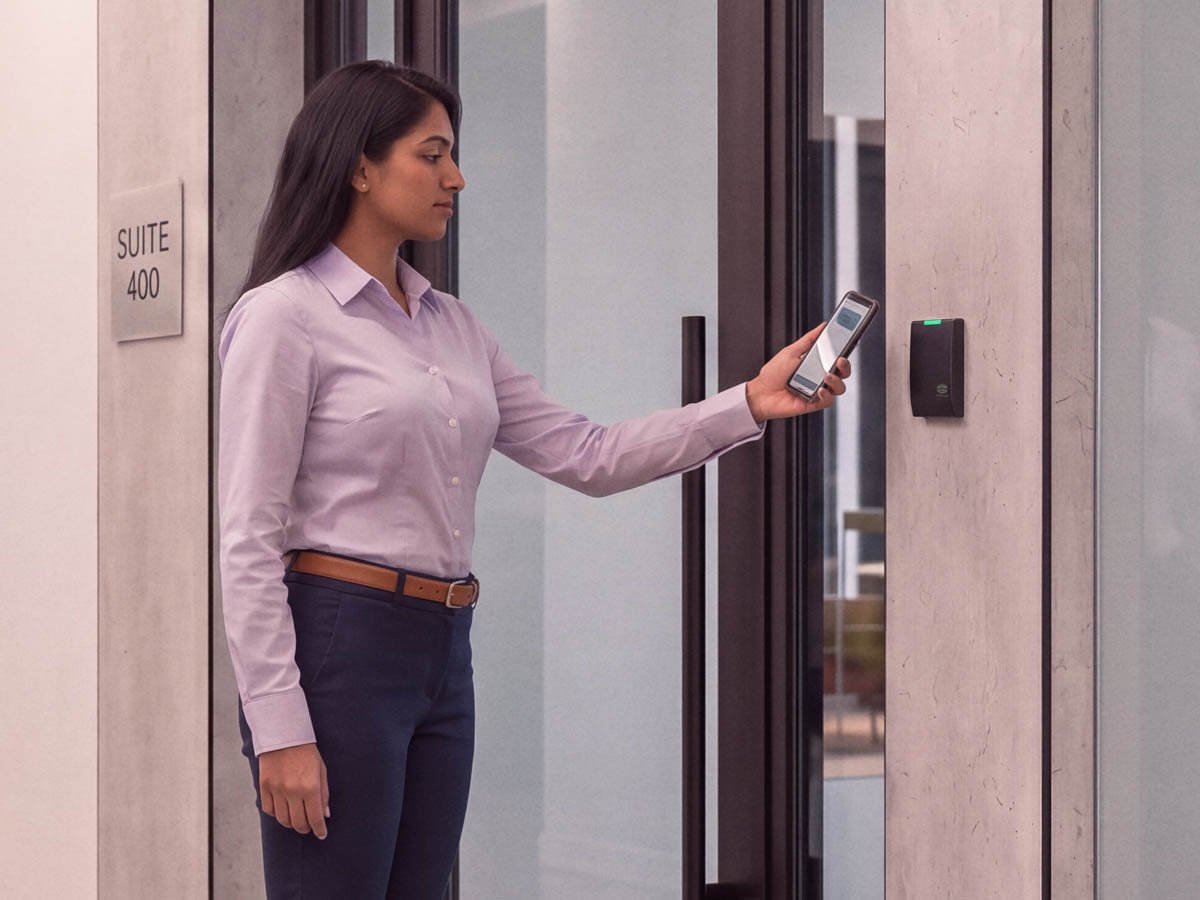
A mobile credential stores a user's access rights on a smartphone, which communicates with the reader over Bluetooth or NFC. Mobile credentials are harder to clone or share than physical cards, and they reduce day-to-day administration. A credential is issued to a phone when a person is hired and removed when their access should end, with no card to collect.
The trade-off is that mobile credentials require every user to carry a compatible smartphone, which is not a safe assumption for every workforce.
Proximity cards and fobs
A long-range proximity card or fob is read at a short distance, so the user does not touch the reader. These credentials are inexpensive per unit and familiar to users, which is why they remain common in large deployments.
Standard proximity credentials are also the easiest to copy, so they suit lower-risk doors. Encrypted credential standards make a card much harder to clone, so they are the better choice for any door protecting something valuable.
Touchless biometric access control
Touchless biometric access control verifies a person by a physical trait read without contact, such as facial recognition or an iris scan. Biometrics provide the strongest link between the credential and the person, since you can't hand a credential to a colleague the way you can with a card.
Facial recognition is subject to state and local biometric privacy regulations that vary widely, and it involves higher hardware costs. For those reasons, it works best on higher-security doors.
| Type | Assurance | Cost per user | Best suited to | Main limitation |
|---|---|---|---|---|
| Wave-to-unlock / gesture | Moderate to high | Varies by platform | High-traffic and accessibility-driven doors | Depends on the underlying platform and reader support |
| Mobile credential | High | Low ongoing | Modern workplaces and multifamily communities | Requires a compatible smartphone |
| Proximity card / fob | Low to high, depending on encryption | Low | Large, cost-sensitive, lower-risk deployments | Unencrypted versions are readily cloned |
| Touchless biometric | Highest | High | High-security doors and watch-list use | Privacy regulation and cost |
-
Wave-to-unlock / gesture
Assurance
Moderate to high
Cost per user
Varies by platform
Best suited to
High-traffic and accessibility-driven doors
Main limitation
Depends on the underlying platform and reader support
-
Mobile credential
Assurance
High
Cost per user
Low ongoing
Best suited to
Modern workplaces and multifamily communities
Main limitation
Requires a compatible smartphone
-
Proximity card / fob
Assurance
Low to high, depending on encryption
Cost per user
Low
Best suited to
Large, cost-sensitive, lower-risk deployments
Main limitation
Unencrypted versions are readily cloned
-
Touchless biometric
Assurance
Highest
Cost per user
High
Best suited to
High-security doors and watch-list use
Main limitation
Privacy regulation and cost
No single credential type is the right answer for a whole building. A strong touchless deployment usually combines them, matching the assurance level to the risk at each door.
Is touchless access control secure?
Touchless access control is secure when the credential is encrypted and the system is actively managed. Being contactless does not make a system secure on its own. The most common gap in any access control system is a credential that remains valid after it should have been revoked, which has nothing to do with the entry method.
Take a standard proximity card with no encryption. Its identifier is fixed, and an inexpensive copying device can duplicate it in seconds. To the access reader, a duplicate and the original are the same credential. The reader accepts both, and both are recorded in the access log as ordinary entries. Encryption makes a credential far more difficult to duplicate, which is why encrypted card standards are worth the cost on any door that protects something valuable.
Encryption cannot fix a credential that should no longer work. A copied card and a lost card pose the same problem, and no encryption can disable a credential that was never revoked. A former employee whose card still works, or a contractor whose access continued after the contract ended, is a lapse in management that usually only surfaces once an incident exposes it.
-
Unlock doors with digital credentials stored in Apple, Samsung, and Google Wallets.
-
Access common areas or office spaces with an iPhone or Apple Watch.
-
Go hands-free with secure Bluetooth credentials in the KastlePresence app.
-
Allow authorized access with key fobs or smart cards.
Touchless access control vs. key cards
A key card requires contact or a swipe against the reader, while touchless access control opens the door without that contact. The functional difference at the door is small. The administrative difference is larger, and it usually determines which system fits a building.
| Factor | Traditional key card | Touchless access control |
|---|---|---|
| Contact | Swipe or tap required | No contact needed |
| Cloning resistance | Low for magnetic stripe, moderate for encrypted cards | High for mobile and biometric, variable for proximity |
| Issuing and revoking | Physical card handled in person | Credential issued and revoked remotely for mobile |
| Lost credential | Card must be collected or deactivated manually | Mobile credential is deactivated remotely |
| Hygiene | Shared surface contact at every entry | No shared surface contact |
| User experience | Familiar, but a card can be forgotten | Phone or trait is rarely left behind |
-
Contact
Traditional key card
Swipe or tap required
Touchless access control
No contact needed
-
Cloning resistance
Traditional key card
Low for magnetic stripe, moderate for encrypted cards
Touchless access control
High for mobile and biometric, variable for proximity
-
Issuing and revoking
Traditional key card
Physical card handled in person
Touchless access control
Credential issued and revoked remotely for mobile
-
Lost credential
Traditional key card
Card must be collected or deactivated manually
Touchless access control
Mobile credential is deactivated remotely
-
Hygiene
Traditional key card
Shared surface contact at every entry
Touchless access control
No shared surface contact
-
User experience
Traditional key card
Familiar, but a card can be forgotten
Touchless access control
Phone or trait is rarely left behind
Key cards are not obsolete, and many buildings offer a card option alongside touchless credentials for visitors and users without a compatible phone. For most buildings, the real draw is administrative control. Mobile and managed credentials are far easier to issue and revoke than any card or gesture at the door.
How touchless access control improves hygiene
Touchless access control reduces shared-surface contact at an entrance because users don't need to press a keypad or pull a door handle to enter. In a building where hundreds of people pass through the same lobby each day, touchless doors remove that shared touchpoint and reduce surface contact. This is particularly important in healthcare facilities and other high-traffic settings, where surface contact is a standing concern for tenants and staff.
Touchless access control and ADA compliance
For building owners, accessibility is often a more compelling reason to modernize entry than security alone, and it is often overlooked. The Americans with Disabilities Act (ADA) sets expectations for accessible entrances, including the force needed to open a door, the height and reach of controls, and how long a door remains open for a person moving through it.
Touchless credentials and automatic door operators, when used together, address several of these expectations. With a mobile or gesture credential, the user does not have to reach for or grip a fixed access reader, and an automatic operator opens the door without physical effort from the user.
Touchless access control alone does not make a door ADA-compliant, since compliance depends on the full entrance design, including door width and operator settings. Accessibility requirements also vary by jurisdiction and building type. A provider that builds accessibility into the system design is worth more here than one that sells the access reader and leaves the compliance question to the building.
Automatic door openers vs. touchless access control
Searches for "automatic door opener access control" often mix two different products. An automatic door operator is the powered mechanism that physically opens a swing, sliding, or revolving door. An access control system determines whether a person is authorized and records the entry. Products here are sold under labels such as automatic door entry systems, automatic door access control systems, and touchless door openers, which adds to the overlap.
A door operator with no access control will open for anyone who can trigger it. In an accessible, contactless entrance, the two are installed together, so the access control system authorizes an approved credential and the operator opens the door.
How much does touchless access control cost?
The cost of a touchless access control system depends on the building and the set of factors that determine it. The number of doors and entry points, the types of credentials chosen, whether the system is cloud-based or on-premise, and the level of ongoing management all affect the total.
- Door and entry-point count: Cost scales with the number of controlled openings, which includes turnstiles, elevators, and parking entrances in addition to perimeter doors.
- Type of credential: Proximity cards have the lowest per-user cost and biometric readers the highest per door. Mobile credentials cost less than biometric readers, with most of that cost in the platform, not the hardware.
- Deployment model: With a cloud-based system, much of the upfront hardware spend becomes a predictable subscription. An on-premise system has a larger capital cost and requires ongoing IT maintenance.
- Management model: With a self-managed system, the internal team handles administration, updates, and monitoring. A managed model includes that work in the service.
A site assessment is the most effective way to determine pricing, taking into account the building's door count, risk profile, and desired level of management.
How managed access control keeps a touchless system accurate over time
The most challenging issues in touchless access control are solved after installation, by whoever administers the system over its life. This is the gap many deployments underestimate.
Touchless hardware performs well at the moment of entry. It does not, on its own, address the work that follows installation:
- When an employee leaves, their card is often still valid days later, because no one has revoked it.
- Permission lists fill with names that no longer belong there as staff turns over.
- Reviews are postponed because no one owns them.
- For a portfolio, every site is a separate list to maintain. This maintenance adds another task to a team that already has too much to do.
The hardware is not at fault here. It performs as installed. The gap is that the setup is rarely revisited, and a self-managed system often doesn't get the attention needed to stay accurate.
A managed access control model puts one provider in charge of the system throughout its lifecycle, from design and installation through ongoing monitoring and maintenance. This can help ensure credentials are deactivated when access should end, permissions remain current, and the system is regularly reviewed as a building’s needs change.
Kastle has been operating access control systems for decades, including developing wave-to-unlock technology years before contactless entry became common. That experience informs how Kastle manages touchless access systems over time, from installation through ongoing credential and permission management.
Considerations before choosing a touchless system
The type of credential determines the level of assurance, while the deployment model influences the cost structure. The system's ability to adapt as the building changes will depend on the management model in place.
Buildings that maximize the benefits of touchless access control approach it as a continuous program with a designated owner. Before selecting which reader to mount, decide who will be responsible for the system post-installation. Talk to a Kastle expert to match the right credential, deployment, and management model to your building.
Frequently asked questions
Touchless access control is a way of managing building entry that grants or denies access without the user making physical contact with the reader or door hardware. It includes mobile credentials, long-range proximity cards, biometric recognition, and gesture-based wave-to-unlock entry.
A user presents a credential to an access reader without contact. The reader sends it to a control panel or cloud platform, which verifies the credential against the user's permissions. If the user is authorized, the door unlocks, and the system records the event in an access log.
Yes, when the credential is encrypted and the system is actively managed. The most common weakness is a credential that remains active after it should have been revoked. That is a management issue more than a technology one.
Key cards require a swipe or tap against the reader, while touchless access control opens the door without contact. The larger difference is administrative. Mobile touchless credentials can be issued and revoked remotely, while physical cards must be handled in person.
Touchless biometric access control can be used responsibly, though facial recognition and similar methods are governed by state and local biometric privacy regulations that vary widely. It works best on high-security doors rather than as the default for every entrance.
It can support accessibility by removing the grip, reach, and force barriers at a traditional door and reader, especially when paired with an automatic door operator. It does not by itself make an entrance ADA-compliant, since compliance depends on the full door and hardware design.
Cost depends on the number of doors, credential types, whether the system is cloud-based or on-premise, and the level of ongoing management. A site assessment will provide you with an estimate based on your building's requirements. Talk to an expert for a personalized estimate.
Tell us about your project and our team will follow up.