
Office building security systems: A layered guide for property managers and owners
Download your free office guide
Four pillars, eleven trends, and three ready-made checklists your team needs.





Office building security is a layered program of physical, electronic, and procedural measures. It protects the people and assets inside a commercial building, and it governs who gets in, who stays out, and what happens when something goes wrong. A lobby camera and a front-door reader are part of that program. Office building security solutions tie the parts together and ensure someone is ready to respond.
Most commercial office building security systems already have the hardware in place and still leave gaps. What is often missing is the layer that decides what happens at 3:00 a.m. when an alert is sent and no one is watching the screen. Closing that gap separates strong corporate building security from a building that only looks secure.
This guide is for the property managers and owners who work with commercial office building security. It walks through the layers, gives you a checklist, and explains where on-site guards are most effective. In a soft office market, good security also helps keep the tenants you want.
What is office building security?
A complete office building security program spans three categories. Physical measures are the perimeter barriers, lobby design, lighting, doors, and locks. Electronic measures are access control, video surveillance, visitor management, and intrusion detection. Procedural measures are the emergency response plans, staff training, and regular audits. Building size and tenant mix change the details within each category, but the three categories stay the same.
A common mistake is treating the electronic layer as the whole program. Cameras and card readers detect and record, but they do not decide what happens next. A building is truly secure only when detection is paired with an owned response. Mapping your office building security risks to these categories is the first step.
The layers of office building security
The clearest way to think about office building security measures is as layers, each with a job. The security industry frames these jobs as the five D's: deter, detect, deny, delay, and defend. A strong program uses all five, and weakening one forces the others to carry more than they should. Technology and hardware support each layer.
| Layer | What it does | Example measures |
|---|---|---|
| Deter | Makes the building a harder, less appealing target | Visible cameras, lighting, signage, secured entrances |
| Detect | Identifies a threat or unauthorized entry as it happens | Video analytics, intrusion sensors, access logs, monitoring |
| Deny | Stops unauthorized people from getting in | Access control, locked perimeter doors, visitor screening, turnstiles |
| Delay | Slows an intruder down until a response arrives | Layered doors, secured stairwells, mantraps, restricted floors |
| Defend | Responds to and resolves the incident | Monitoring center, on-site staff, law enforcement coordination, lockdown |
-
Deter
What it does
Makes the building a harder, less appealing target
Example measures
Visible cameras, lighting, signage, secured entrances
-
Detect
What it does
Identifies a threat or unauthorized entry as it happens
Example measures
Video analytics, intrusion sensors, access logs, monitoring
-
Deny
What it does
Stops unauthorized people from getting in
Example measures
Access control, locked perimeter doors, visitor screening, turnstiles
-
Delay
What it does
Slows an intruder down until a response arrives
Example measures
Layered doors, secured stairwells, mantraps, restricted floors
-
Defend
What it does
Responds to and resolves the incident
Example measures
Monitoring center, on-site staff, law enforcement coordination, lockdown
Most buildings put too much into detection and too little into deterrence and defense. They add cameras and sensors, then route the alerts to a dashboard no one monitors overnight. The fix is rarely more detection hardware. Buildings need to ensure that every alert reaches someone who can act on it.
Perimeter and lobby: The first layer
The perimeter and lobby are the first security layer, where deterrence and denial do most of the work. A building that looks well controlled rarely gets tested. High-rise office building security leans especially hard here, since a single ground-floor lobby feeds every tenant above it.
Secure the doors, windows, and any gates or vehicle entrances to a standard that matches the building's risk. Office building security lighting is worth getting right. Light the walkways, entrances, parking, and lobby, so there are no dark corners, which deters intruders and helps cameras and staff see. The office building lobby is the program's control point, where visitors are screened and the first access decision is made.
Access control: Who gets in and where
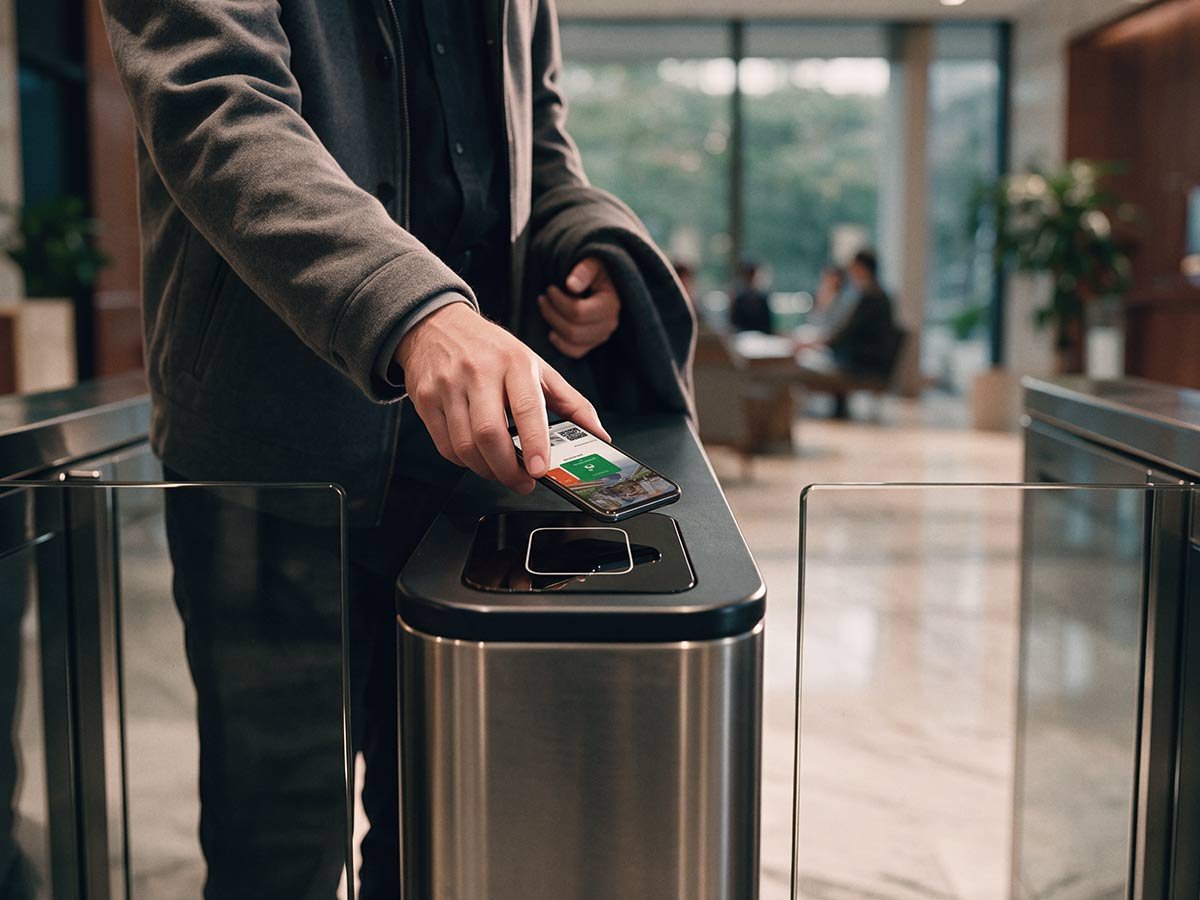
Office building access control decides who may enter and which spaces they can reach inside. It replaces mechanical keys with credentials such as access cards, fobs, or mobile credentials on a phone, and records every entry. A modern access control system gives a property team four things keys never could:
- Provisioning in minutes. Add or revoke a credential from software, without changing a lock.
- Permissions by role and area. A third-floor tenant cannot reach the mechanical room or another tenant's suite.
- A full audit trail. Log every entry by credential, door, and time, turning a vague complaint into a timestamped fact.
- Remote management. Change permissions, run reports, and respond to events from anywhere.
For most office buildings, the practical standard for security access control is now a cloud-managed system that supports mobile credentials alongside cards, so a team can manage access for the whole building or portfolio from one place. When risk calls for it, office building security alarm systems add intrusion detection.
Video surveillance: Seeing and verifying
Video surveillance verifies what the other layers detect. Access control confirms a valid credential opened a door, and office building security surveillance confirms who walked through it. That gap is where stolen credentials and tailgating slip past a system that would otherwise look clean.
Modern video has shifted from recording to real-time verification. A camera that only stores footage is an investigation tool you reach for after the fact. Modern systems pair high-resolution cameras with analytics that flag unusual activity as it unfolds, so a monitoring team can respond while there is time to change the outcome. For a property team evaluating office building security surveillance, the useful questions are operational. Can someone verify an alert against live footage within seconds, and can they access it remotely?
Visitor management: Everyone who isn't on the badge list
Office building visitor management handles everyone who needs to enter the building without a permanent credential, including contractors, vendors, clients, and guests. In a busy office building, this accounts for a large share of daily traffic, and access control alone cannot govern it.
A visitor management system closes that gap by pre-registering expected visitors, verifying identity at check-in, notifying the host, and issuing time-limited access that expires automatically. It does two jobs at once. A flagged arrival is caught at the desk, and an expected guest moves through check-in quickly.
Visitor management has to talk to access control. A system that captures names but never connects to the doors adds a process without adding security.
Response and emergency planning: What happens when something goes wrong
Response is the layer that turns detection into protection, and buildings most often leave it undefined. An alert nobody acts on is the same as no alert at all. A motion notification in an unmonitored inbox, an alarm at night that waits until the office opens, a camera recording an incident no one watches. Each is a detection without a response.
A real response layer has a few non-negotiables:
- Monitoring with an owner. Someone, in-house or outsourced, watches around the clock and is accountable for acting on what comes in.
- A written emergency response plan. An office building emergency response plan names the risks the building faces, from medical emergencies and fire to severe weather and security threats, and spells out who does what.
- A communication plan. Reaching a short list of key tenant contacts beats notifying every occupant. Name the primary and backup methods in advance.
- Drills and reviews. A plan that lives in a binder fails under pressure. Practice it, then update it.
Office building tenant safety is not abstract. The U.S. Bureau of Labor Statistics recorded 470 workplace homicides in 2024, an increase from 458 the year prior. In a building with hundreds or thousands of occupants, a response plan can be the difference between an incident and a tragedy.
Audits: Keeping the program honest
Audits keep every other layer from quietly decaying. Access permissions pile up as people join, move, and leave. Cameras drift out of position or lose connectivity. Credentials that should have been revoked stay active. None of this announces itself, so a program never reviewed stops matching the building it protects.
A regular audit answers a few plain questions. Who has access, and should they still have it? Are the cameras working and pointed where they should be? Have former tenants and employees been fully removed? This also improves office building security over time, since each review surfaces the next gaps.
Guards or technology: Where each one fits
Use both, and assign each to the job it does best. Office building security technology scales and never looks away. People bring judgment and presence that software cannot replicate. So the question of whether office buildings need security guards really comes down to where guards add the most value.
| Capability | On-site guards and concierge | Security technology |
|---|---|---|
| Coverage | Limited to where a person is | Every covered door and camera at once |
| Consistency | Varies with attention and fatigue | Constant, around the clock |
| Judgment and presence | Strong. Reads a situation, reassures people | Limited. Flags patterns, cannot interpret nuance |
| Cost to scale | Rises with every post and shift | Marginal once the platform is in place |
| Best at | Response, hospitality, de-escalation, patrol | Detection, verification, access control, audit trails |
-
Coverage
On-site guards and concierge
Limited to where a person is
Security technology
Every covered door and camera at once
-
Consistency
On-site guards and concierge
Varies with attention and fatigue
Security technology
Constant, around the clock
-
Judgment and presence
On-site guards and concierge
Strong. Reads a situation, reassures people
Security technology
Limited. Flags patterns, cannot interpret nuance
-
Cost to scale
On-site guards and concierge
Rises with every post and shift
Security technology
Marginal once the platform is in place
-
Best at
On-site guards and concierge
Response, hospitality, de-escalation, patrol
Security technology
Detection, verification, access control, audit trails
The pattern that works for most office buildings is an always-on technology layer that monitors every door and verifies every alert, with people deployed where presence and judgment matter, such as the lobby desk, patrols, and response. Guards are most valuable when technology handles repetitive watching.
Securing a hybrid and after-hours office
A hybrid building needs security that handles uneven, after-hours traffic, because it is busy on Tuesday and nearly empty on Friday.
Two realities follow. Access patterns are harder to read at a glance, making a reliable audit trail and clear permissions more valuable. The system of record tells a property team who is in the building. After-hours security matters most during these low-occupancy periods, when the building is least watched.
Tailgating deserves specific attention here. When one person holds the door for another, an unauthorized visitor can enter without a record, and a near-empty building makes it easier to do so unnoticed. No single tool eliminates the problem, so office building tailgating prevention relies on a combination of access control, video verification, and turnstiles or a staffed lobby in higher-risk buildings.
Is office building security a cybersecurity problem?
Cyber-physical security for office buildings treats the security system as part of the network it runs on. Access control systems, IP cameras, and sensors are connected devices, and each is a potential entry point, so physical and cyber security belong in one program. Networked devices need the same hygiene as any other IT asset: current firmware, changed default passwords, network segmentation, and someone responsible for patching them. A cloud-managed platform helps because it applies security updates centrally instead of waiting for a technician to visit each device. The point is to stop treating the security system as separate from IT, and to ask any provider how it stays current after installation.
What does office building security cost?
Cost scales with the number of doors, cameras, and credentials, and with whether the program is self-managed or outsourced, so there is no single price for office building security systems. The way to budget is by layer. The main drivers are the number of controlled doors, the scope of video coverage, the credential types you choose, and whether you handle monitoring and on-site personnel in-house or outsource them.
One choice shapes the total more than any single piece of hardware. It is whether you run the pieces yourself or subscribe to a managed service. A managed model converts large upfront capital costs into a predictable operating expense and includes maintenance and monitoring.
An office building security checklist
This checklist turns the office building security best practices above into an actionable plan. Run it against your building. Each line is either assigned a clear owner or flagged as a gap.
- Perimeter and lobby. Doors, windows, and gates secured to the building's risk level, no dark gaps in lighting, and all lobby traffic routed past a control point.
- Access control. Every controlled door on the system rather than keys, permissions by role and area reviewed regularly, prompt provisioning and revocation, and a complete audit trail.
- Video surveillance. High-risk areas covered, alerts verifiable against live footage quickly, and footage accessible remotely.
- Visitor management. Visitors pre-registered and verified at check-in, access time-limited and auto-expiring, and the system connected to access control.
- Response. Around-the-clock monitoring with a named owner, a written emergency response plan, a communication plan with backups, and drills run on a schedule.
- Cyber-physical and audits. Networked devices patched and default passwords changed, security network segmented, and a full audit on a set schedule.
How managed security closes the gaps
The hardest problem in office building security is ownership, which is harder than choosing hardware. When access control comes from one vendor, cameras from a second, visitor management from a third, and monitoring from a fourth, each vendor owns their piece, and no one owns the outcome. Incidents happen in the gaps between them, and they only become visible after something goes wrong.
Fragmentation shows up in ordinary ways. A camera loses connectivity, and its vendor handles the hardware, but no one correlates the outage with the access event it should have captured. A departing tenant's credentials stay active because offboarding fell between the access vendor and the property team. Each vendor does their job, and the building stays exposed.
The alternative is integrated office building security under a single accountable partner, where one provider designs, installs, monitors, and maintains the system. When something needs attention, there is one call and one owner, and access control, video, visitor management, and monitoring run as one managed service under one contract.
That is the model for Kastle’s office building security solutions. Kastle has delivered managed physical security for office buildings this way for over 50 years, protecting more than 60,000 businesses across the United States and Australia. For a property team, the value is one partner accountable for the program's success.
That accountability is also a commercial argument. U.S. office vacancy hit a record 21 percent in the first quarter of 2026, according to Moody’s Analytics. When tenants can choose their space, the security experience becomes part of why the right ones choose a building and stay. Well-executed security protects people first and helps protect occupancy.
Frequently asked questions
The building owner and property manager secure shared spaces, building access, and common areas, while individual tenants secure their own suites. Responsibility is often split across multiple vendors, so many buildings consolidate corporate building security under a single accountable provider.
Work through the layers in order. Harden the perimeter and lobby, put every controlled door on an access system, add video to verify entries, manage visitors, and back it up with monitoring and a response plan with an owner. Then audit on a schedule.
Many do, but guards work best alongside security technology, not in place of it. Technology handles constant monitoring, detection, and access control across the building. Guards add judgment, presence, and response where it counts, such as the lobby and patrols.
Combine access control, video verification, and, in higher-risk buildings, turnstiles or a staffed lobby. No single tool stops tailgating completely, so layering is what keeps unauthorized followers from entering on someone else's credential.
Cost depends on the number of controlled doors, video coverage, credential types, monitoring, and on-site staffing, so there is no single price. The clearest way to budget is to layer it by your building's size and risk. Talk to a Kastle security expert for a customized quote.
On a set schedule, with a full review at least annually and more frequent spot checks. A review confirms who has access, checks that cameras work and are positioned correctly, removes credentials for former employees, and flags anything unusual in the logs.
Match the solution to your building's layout, risk, and tenant mix, and confirm it will be actively managed after installation. Favor an integrated security program for office buildings, with cloud-managed access control, video verification, visitor management, and monitoring under a clear owner.
The best office building security system matches your building and is actively managed after installation. For most, that means cloud-managed access control, video surveillance with real-time verification, visitor management, and monitoring under one owner. Alarm systems add a further layer where the risk calls for it.
Tell us about your project and our team will follow up.