
Keyless entry systems for business: A guide for commercial property and facility managers
Download your free access control guide
Six building blocks, eleven trends, and three ready-made checklists.





A keyless entry system for business is an electronic access control setup that replaces physical keys with credentials (PIN codes, key fobs, mobile devices, or biometrics) to govern who can enter a building, floor, or room and when.
A keypad on a side door and a cloud-managed platform governing hundreds of readers across 10 buildings both qualify as commercial keyless entry systems. The right choice for any property depends on which credential type fits the door's risk level, how the system connects to the rest of the building security, and who handles ongoing credential issuing, revoking, and auditing.
How commercial keyless entry systems work
Every commercial keyless entry system uses the same basic sequence. A user presents a credential to an access reader at the door. The reader then transmits the credential to a control panel or cloud platform, which verifies it against a permissions database. If the credential is valid, the lock releases. If not, the door remains locked. Every attempt is logged with the user, location, and timestamp.
The management layer differs by system. On-premise systems store credential data and software on servers inside the building. The property's IT or facilities team handles updates, backups, and user administration directly. Cloud-based platforms host data on remote infrastructure the provider maintains. Administrators manage credentials and permissions through a web interface or app from any location. Updates are automatic, and scaling across multiple buildings does not require additional server hardware.
Keyless entry for office buildings and commercial real estate portfolios simplifies access management across multiple tenants, floors, and entry points. Cloud-based systems centralize credential administration, allowing property teams to manage permissions and monitor activity across hundreds or thousands of users from a single platform
Types of commercial keyless entry systems and credentials
Each credential type has a different security profile, and no single category fits every door in a building. The practical approach is to match credential strength to door sensitivity and use two or three types across the property.
Keypad and PIN entry
A commercial keypad entry system requires a numeric code. Codes are inexpensive to deploy and require no hardware per user, which makes keypads a practical option for shared spaces like break rooms, storage closets, or loading docks.
The weakness is that codes can be shared, observed over a shoulder, or guessed. Any door where individual accountability is important, where you need to know exactly who entered and when, requires a stronger credential.
Key fobs and proximity cards
Key fobs and access cards use radio frequencies to communicate with a reader. Standard 125 kHz proximity fobs transmit a fixed ID without encryption. While they are easy to deploy, they are also easy to duplicate.
Encrypted 13.56 MHz smart credentials, based on standards like MIFARE DESFire, use authenticated, encrypted communication that takes significantly more effort and expense to copy. When specifying fobs for a commercial building, teams should first verify the credential's encryption standard.
Mobile keyless entry for business
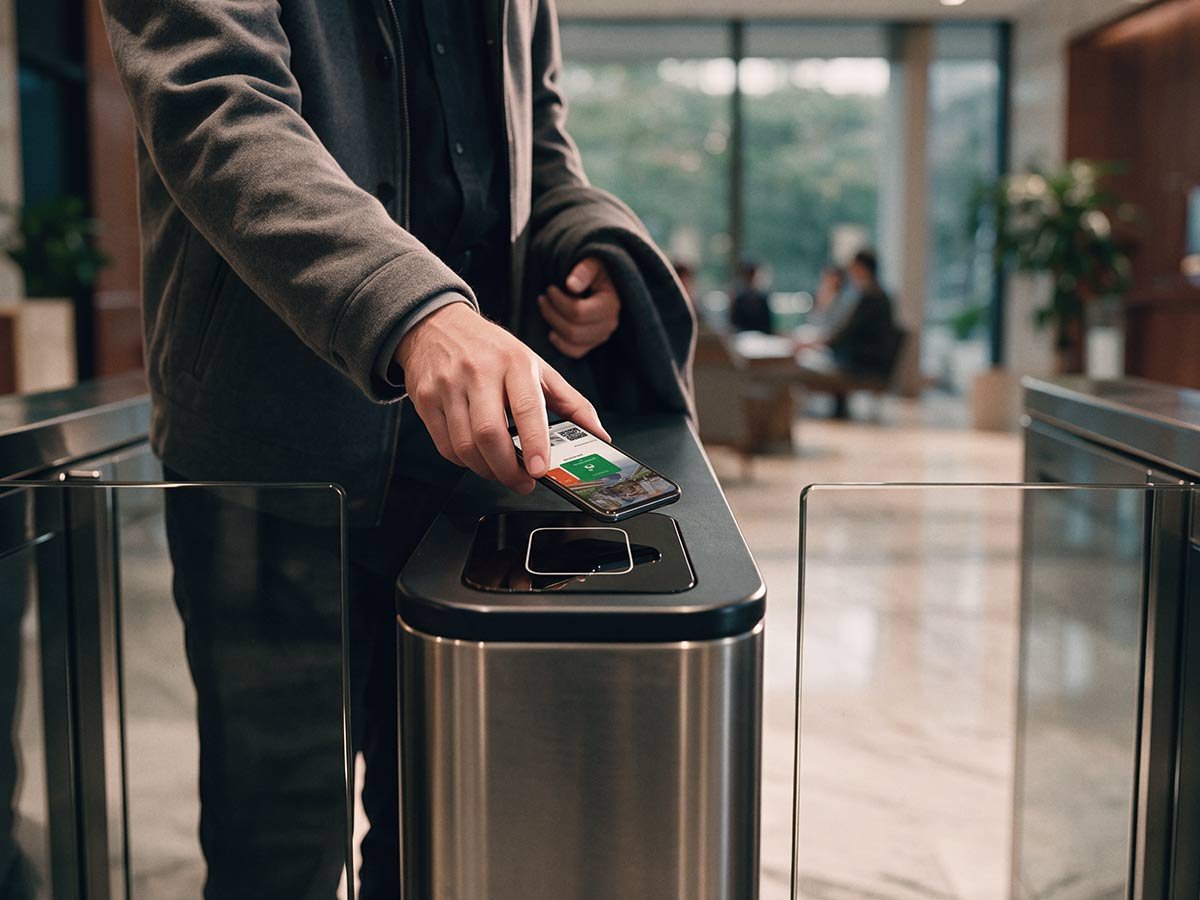
With mobile keyless entry for business, the smartphone is the access credential, authenticated through Bluetooth or NFC. Mobile credentials are harder to clone than physical fobs because they rely on encrypted, app-based authentication that can include dynamic or time-limited tokens.
Administration is also simpler. Administrators can issue and revoke credentials remotely with no physical handoff. Mobile credentials can be delivered through Apple Wallet, Google Wallet, and Samsung Wallet, depending on the access control platform. Aliro, an open standard, adds cross-vendor interoperability, allowing a single credential to work across different manufacturers’ readers and lock hardware. Kastle was the first managed security provider to deploy Aliro across all three wallet platforms.
Biometric keyless entry for business
Fingerprint, iris, and facial recognition readers verify identity based on a physical characteristic. Biometric credentials cannot be forgotten, lost, or shared. Hardware costs have declined, and accuracy has improved. Still, local biometric privacy regulations, such as Illinois's Biometric Information Privacy Act (BIPA), may restrict how and where organizations can collect and store biometric data.
Biometric entry is best suited to high-security areas like server rooms, executive floors, or pharmaceutical storage, where the added verification justifies the cost and regulatory overhead.
Remote keyless entry
Remote keyless entry allows authorized security personnel to grant or deny access without being physically present. Through a connected access control platform, teams can verify requests, remotely unlock designated entrances, and maintain a record of access activity.
Multi-factor authentication
For the highest-assurance entry points, systems can require two or more credential types at the same reader. It increases the effort required for unauthorized entry well above what any single credential type provides alone. For example, a 50,000-square-foot office building might use mobile credentials at the lobby and elevator, keypads for interior conference rooms, and biometric readers for the server room.
Smart locks vs. access control systems
A smart lock is a single-door device: a lock body with built-in connectivity, typically managed through an app. Smart locks work well for individual offices, interior doors, and small businesses with a handful of entry points.
Commercial keyless door entry systems provide centralized control over multiple doors, allowing businesses to manage access permissions, monitor entry activity, and maintain consistent security policies across their properties.
An access control system is a platform. It connects readers, controllers, and locks across an entire building or portfolio under centralized administration with role-based permissions, scheduling, audit logs, and integrations with video, visitor management, and identity directories.
For a single suite with one or two doors, a smart lock may be enough. For any commercial building with multiple tenants, floors, or entry points, an access control system is more appropriate.
Security risks and limitations of keyless entry systems
Every credential type has a known weakness. Matching credentials to doors is essential to prevent exploitation, which could create significant security risks.
Keypads are vulnerable when codes are shared or observed. A four-digit code posted on a sticky note inside a loading dock amounts to a formality. Codes also provide no individual accountability. The log only records that someone entered the correct code.
Unencrypted proximity fobs (125 kHz) are vulnerable to cloning. A handheld copier can read and write a working duplicate within seconds. The duplicate and the original are indistinguishable in the access log. Deactivating the original fob after the fact does nothing to stop a copy made before that point. Any building that relies on unencrypted proximity fobs for exterior doors or high-value areas has a credential gap, regardless of its security policy.
Encrypted fobs and smart cards resist cloning far more effectively. But they are still physical objects that can be lost or stolen. Encryption addresses duplication, but it does not deactivate a credential when an employee or tenant leaves.
Mobile credentials require a smartphone, a charged battery, and a compatible app. They aren't practical for every user, especially guests, short-term contractors, or staff who don't carry phones while working.
The common pattern is that no credential type is complete on its own. Selecting the right credential matters, but so does managing it and keeping the access list accurate month after month.
Fail-safe vs. fail-secure keyless locks
Fail-safe locks unlock when power is lost. They are used on doors that must release automatically during a power outage, such as emergency exits and stairwell reentry doors. Electromagnetic locks are fail-safe by design.
Fail-secure locks remain locked when power is lost. This configuration is used for high-security areas like server rooms, pharmacy storage, and evidence rooms, where an unlocked door during an outage would create more risk than a locked one. Fail-secure doors on egress paths still require a mechanical override, such as a push bar, to satisfy local codes.
Battery backup on readers and controllers adds a buffer between a power interruption and a lock-state change. Still, backup does not replace the need to configure each door correctly for its location and use.
Local fire and building codes typically follow the International Building Code (IBC), which references National Fire Protection Association (NFPA) standards for fire doors and life safety. Jurisdictions may adopt different editions or amendments. Every commercial keyless entry installation should include a door-by-door review of fail-safe vs. fail-secure settings against applicable codes.
Benefits of using keyless entry systems for businesses
The benefits of replacing physical keys with a commercial keyless entry system vary by employee role.
For facility managers
The biggest gain is eliminating physical key management. No more tracking which employee has which key, rekeying locks after turnover, or dealing with unauthorized copies. Credential provisioning and deactivation are done using software on a schedule.
For security directors
The value is in the audit trail. Every access event, whether granted or denied, is logged with the credential, door, and time. That record supports internal investigations, incident response, and compliance requirements. Role-based permissions ensure each individual can access only the areas their job requires.
For IT teams
A cloud-based keyless building entry system removes on-premise server infrastructure from the security stack. Integration with identity directories like Active Directory or Azure AD automates provisioning when employees join or leave.
For property managers
Keyless entry simplifies tenant onboarding and reduces vendor coordination. Occupancy data from the access system also supports lease decisions and space planning. Managing a portfolio from a single dashboard reduces the operational burden of running multiple properties.
Emergency access
Emergency access is rarely used, but when needed, it is the system's most important capability. A commercial keyless entry system allows remote lockdown during a security incident and remote unlock for evacuation.
How to choose a keyless entry system for your business
Choosing a commercial keyless entry system is as much an operational decision as a technology decision. The system's long-term cost and success depend on the infrastructure and management behind it.
How much does a keyless entry system for business cost?
The number of doors requiring controlled access, whether existing wiring and readers can be reused, the credential types selected, software licensing, and whether the system will be managed in-house or by a provider all factor into the total cost. A single-door installation for a small business and a 200-door deployment across a portfolio are fundamentally different projects. The total cost of ownership should account for ongoing administration, maintenance, and eventual hardware replacement.
Reusing existing readers and wiring
Many modern access control platforms support existing readers and wiring, which means the management layer (cloud administration, mobile credentials, and encrypted fobs) can be upgraded without replacing every piece of hardware at every door. The important question during any migration is whether the current readers support the credential formats the property team plans to use going forward. A managed provider can assess which hardware to keep and recommend a phased upgrade sequence.
Integration with video and visitor management
Keyless entry with video integration gives security teams greater visibility into who is entering the property and what happens at each access point. By connecting access control events with corresponding video footage, teams can verify activity, investigate incidents, and respond more effectively to potential security threats. The log entry becomes a verifiable record. Visitor management integration lets you issue temporary credentials that expire automatically.
Managing keyless entry for multiple business locations
For businesses managing multiple properties, keyless entry across multiple locations enables centralized credential administration, consistent access policies, and great visibility across the portfolio. Cloud-based access control systems allow authorized teams to issue or revoke credentials, update permissions, and review activity without managing each building separately. This simplifies operations as businesses expand and helps maintain consistent standards across every location.
Keyless entry for multifamily and residential buildings
Multifamily properties use the same keyless credential types as commercial buildings, but their operational demands differ. Resident turnover creates a constant cycle of credential issuance and deactivation. Guests, delivery services, and maintenance staff need temporary access that expires automatically. Amenity spaces like gyms, pools, and package rooms require tiered permissions that vary by unit and lease term. Managing credentials across a residential community with hundreds of residents and constant move-ins and move-outs requires a system and a process built specifically for that volume.
Why managed access control matters for commercial keyless entry
Ongoing work after installation determines whether the access list accurately reflects who should be in the building. It includes issuing credentials to new employees and tenants, deactivating them when they leave, auditing the access list on a regular schedule, updating firmware, replacing aging readers, and adjusting permissions as spaces change.
When these tasks fall to a facility manager or IT team that's already stretched, credential reviews can be delayed, former employees may retain access longer than they should, firmware updates can be deferred, or the access list can become less accurate each month. These problems often go unnoticed until an incident makes them visible.
Under a managed access control model, a single provider handles the full credential lifecycle. One team designs the system, installs the hardware, monitors it around the clock, handles all maintenance and firmware updates, and remains accountable for how the system performs over time. Any issue, whether hardware, software, credentials, or policy, is resolved in one call, with no gap between vendors and no coordination burden on the property team.
Kastle has provided security services for over 50 years, protecting more than 60,000 businesses across the United States and Australia. One accountable partner handles the full security lifecycle. For a property or facility manager evaluating commercial keyless entry systems, that operational question is worth addressing before the technological aspects.
Frequently asked questions
A keyless entry system for business is an electronic access control setup that uses credentials (PIN codes, key fobs, mobile devices, or biometrics) to control building access. Each access event logs the user, door, and timestamp.
A user presents a credential to an access reader. The reader transmits it to a control panel or cloud platform, which verifies it against a permissions database. Valid credentials release the lock. Every attempt is recorded.
The most common types are keypad/PIN entry, key fobs (proximity and encrypted), smart cards, mobile credentials via Bluetooth or NFC, biometric readers, and remote keyless entry managed by security personnel.
It depends on the credential type. Unencrypted proximity fobs can be duplicated within seconds. Encrypted smart credentials, mobile credentials, and biometric readers are far harder to compromise. Matching credential strength to door sensitivity and maintaining the access list over time is necessary for a keyless system to provide real protection.
A smart lock is a single-door device managed through an app. An access control system is a platform connecting readers, controllers, and locks across a building or portfolio, with centralized permissions, scheduling, audit logs, and integrations. Commercial buildings with multiple entry points typically require an access control system.
Fail-safe locks unlock when power is lost, while fail-secure locks remain locked during an outage to protect high-security areas. Every door should be configured based on its location, use, and applicable local codes.
It depends on each door's fail-safe or fail-secure configuration. Battery backup on readers and controllers provides a buffer. Cloud-based platforms with local caching can temporarily continue processing access decisions. A door-by-door review of outage behavior should be part of every commercial installation.
The cost depends on the number of doors, existing infrastructure, credential types, software licensing, and whether the system is self-managed or provider-managed. The total cost of ownership includes ongoing administration, maintenance, and hardware replacement over time. Talk to a Kastle security expert for a quote based on your requirements.
Yes. Cloud-based commercial keyless entry systems allow administrators to manage credentials, permissions, and reporting for every location from a single dashboard. Expanding to additional buildings only requires adding them to the platform.
Ongoing maintenance includes firmware and software updates, hardware inspection of readers and locks, battery backup testing, and periodic review of the credential list to revoke access. Under a managed model, the provider handles these responsibilities.
Tell us about your project and our team will follow up.