
Commercial gate access control systems: How to secure the perimeter and everything behind it
Download your free access control guide
Six building blocks, eleven trends, and three ready-made checklists.





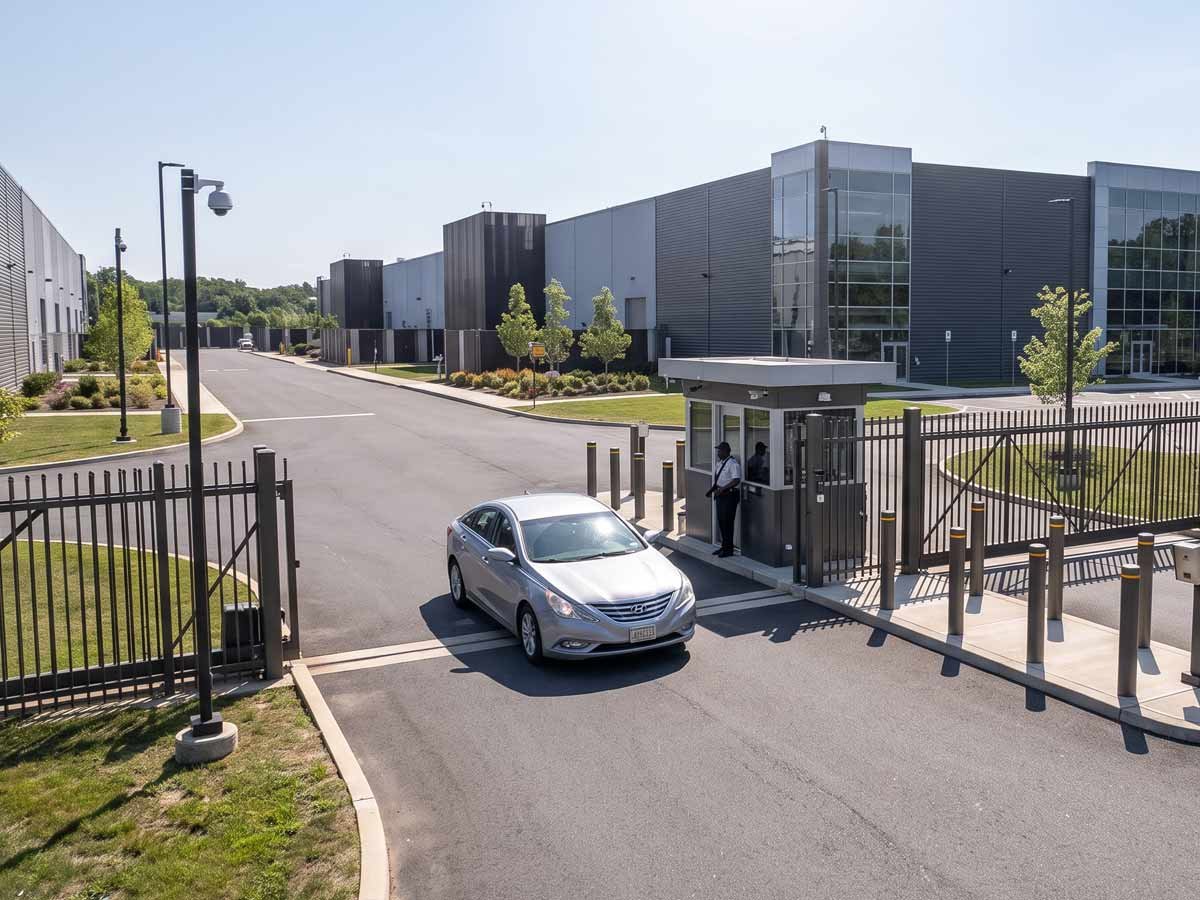
Commercial gate access control systems dictate who gets onto your property before anyone reaches a door. Paired with readers, credentials, and software, gate access lets authorized people and vehicles pass through while stopping others at the perimeter. For an office campus, industrial yard, logistics site, or multi-tenant property, the gate is the property's first security decision of the day.
The stakes are easy to underestimate. Overall, burglary fell across the United States in 2024, yet nonresidential structures like brick and mortars, office buildings, and warehouses still accounted for 373,766 burglaries that year. A controlled perimeter does not solve that alone, but it is a starting point for property protection.
This guide is for facility managers, security directors, and property managers at commercial and industrial sites who choose and run commercial gate access control systems, including the part most vendors skip: what happens after the gate opens.
What is a commercial gate access control system?
A commercial gate access control system is a set of technologies that controls vehicle and pedestrian entry at a property's perimeter gate, verifying each person or vehicle against a list of permissions before releasing the gate. It does the same job as a door access control system, but at the scale and exposure of an outdoor entry point, where traffic includes cars, trucks, deliveries, and pedestrians.
The difference from a simple automatic gate matters. An automatic gate opens for anyone who triggers it. An access-controlled gate opens only for a verified credential, logs the event, and can alert on anything unusual. That shift, from "open on request" to "open on verified permission," is what access control actually does. On most commercial sites, one platform controls the front door, vehicle gate, pedestrian gate, and loading area, so one credential governs the whole property.
How commercial gate access control systems work
A gate access control system works on a verify-then-open cycle. A user presents a credential, the system checks it against stored permissions, and the gate opens only if it is valid for that gate at that time. Every step is recorded.
| Step | What happens | Why it matters |
|---|---|---|
| Credential presented | A driver or pedestrian presents a card, fob, phone, PIN, or license plate to the reader. | The gate captures the entry request. |
| Credential verified | The controller checks the credential against that gate's permissions for that time. | It confirms whether the person is allowed in now, a stricter test than whether the credential exists. |
| Gate released or held | A valid credential signals the operator to open the gate. An invalid one keeps the gate closed and can alert. | Authorized traffic moves freely. Unauthorized traffic stops at the perimeter. |
| Event logged | The system records who entered, which gate they used, and when, including denied attempts. | The property gains an audit trail for incident investigation. |
-
Credential presented
What happens
A driver or pedestrian presents a card, fob, phone, PIN, or license plate to the reader.
Why it matters
The gate captures the entry request.
-
Credential verified
What happens
The controller checks the credential against that gate's permissions for that time.
Why it matters
It confirms whether the person is allowed in now, a stricter test than whether the credential exists.
-
Gate released or held
What happens
A valid credential signals the operator to open the gate. An invalid one keeps the gate closed and can alert.
Why it matters
Authorized traffic moves freely. Unauthorized traffic stops at the perimeter.
-
Event logged
What happens
The system records who entered, which gate they used, and when, including denied attempts.
Why it matters
The property gains an audit trail for incident investigation.
The logic matches door access control. Outdoors, the hardware adds longer read ranges, weatherproofing, a gate operator in place of a door strike, and safety devices in the gate's path.
Components of gate access control systems
A gate access control system has six core parts. They include access readers, credentials, an access controller, a gate operator, locking hardware, and management software.
- Access readers. The device that captures the credential, whether a card or fob reader, a PIN keypad, a mobile reader, a video intercom, or a license-plate camera. Vehicle-lane readers often use longer ranges so drivers don't have to stop.
- Credentials. What the user presents to prove they belong: cards, fobs, mobile credentials, PINs, and license plates.
- Access controller. The decision-maker that checks each credential against the permissions database, signals the operator, and records every event.
- Gate operator. The motor and mechanism that moves the gate. The access system signals it rather than replacing it, which is where Kastle's access and video layer connects to existing gate hardware.
- Locking hardware. The electric or magnetic lock that holds the gate secured until the controller authorizes release.
- Management software. Staff add users, set permissions, pull reports, and respond to alerts from a browser or app when it is cloud-based.
When reading a proposal, check which of these six parts the vendor supplies, which they integrate with, and who owns each after installation. That last question is where many deployments run into trouble.
Types of access control gates
The right gate type depends on space, traffic volume, and site layout. No single gate is "best" in the abstract. Three types cover most commercial and industrial sites.
| Gate type | How it moves | Best suited to |
|---|---|---|
| Swing gate | Swings open on hinges, powered by an operator arm. | Sites with room to swing and moderate traffic. Cost-effective where space allows. |
| Slide gate | Slides horizontally along a track beside the opening. | Tight sites with no room to swing, and busier entrances. Double-slide models clear wide openings fast. |
| Bi-folding gate | Folds in the middle, clearing the opening quickly in a short space. | High-traffic or high-security entrances where speed matters and space is limited. |
-
Swing gate
How it moves
Swings open on hinges, powered by an operator arm.
Best suited to
Sites with room to swing and moderate traffic. Cost-effective where space allows.
-
Slide gate
How it moves
Slides horizontally along a track beside the opening.
Best suited to
Tight sites with no room to swing, and busier entrances. Double-slide models clear wide openings fast.
-
Bi-folding gate
How it moves
Folds in the middle, clearing the opening quickly in a short space.
Best suited to
High-traffic or high-security entrances where speed matters and space is limited.
Mobile credentials offer a real security advantage because they are much harder to copy than a legacy card, and you can turn them off the moment someone leaves. Kastle supports them through Apple, Google, and Samsung Wallet on the same readers that accept cards and fobs, so that a site can move to mobile on its own schedule. This matters because many fobs still in use transmit their ID unencrypted, making them easy to copy. When standardizing credentials, move to encrypted or mobile ones rather than carry that weakness forward.
Planning a gate access control installation
Plan a gate installation around four physical realities before choosing credentials or software: power, network, operator compatibility, and the outdoor environment. Getting these wrong turns a straightforward install into a costly one.
- Power and network at the gate. A perimeter gate is often far from the building, so confirm power and a network path first. Running them can mean trenching across a driveway or lot, often the single highest cost in a gate project. Cellular connectivity can serve gates where a wired path is impractical.
- Operator compatibility. Readers and controllers connect to the operator over wiring protocols, most commonly Wiegand on older equipment and OSDP on newer installations. Confirming how the access layer talks to an existing operator determines whether you keep your gate or need new hardware.
- Weatherproof hardware and lane layout. Everything at the gate lives outdoors, so readers, controllers, and enclosures must be rated for the local climate, and vehicle lanes need readers that work at the distances and speeds drivers actually approach so traffic doesn't back up.
Because the access layer and the gate hardware are separate, clarify who owns each part. Kastle manages the access control and video layer and works with the site's existing gate hardware rather than selling the gate itself.
Life-safety rules for automated gates
A powered gate can injure a person or vehicle in its path, so settle life safety with your installer and local authority rather than improvising on site. In the United States, UL 325 covers the safe operation of powered gate operators, including the entrapment protection that stops or reverses a gate when something is in its path.
Two concepts come up in every gate conversation and are worth defining plainly.
- Fail-safe. On power loss, the gate defaults to unlocked or open. This prioritizes evacuation and suits sites where getting people out quickly matters most.
- Fail-secure. On power loss, the gate defaults to locked. This prioritizes keeping a space secured and suits higher-security perimeters.
Neither is universally correct. The right choice depends on the site, the entry point, and local fire and building codes, so discuss it with the local authority having jurisdiction. Emergency vehicle access belongs in the same conversation, since fire and emergency responders need a reliable way through a controlled gate that meets local requirements. Copying a specification from another property is how sites get this wrong.
How much do commercial gate access control systems cost?
Site conditions and scope drive the cost of a gate access control system. Readers are only a small part of it, so two projects at the same property can differ widely in price. A single number is less useful here than the factors that move it.
- Site infrastructure. Trenching for power and network across a lot or driveway is often the biggest variable. A gate near existing utilities costs far less to connect than one at a distant perimeter.
- Number and type of gates. Each pedestrian and vehicle gate adds hardware, and slide and bi-folding operators cost differently than swing operators.
- Credential and reader mix. Mobile-capable and long-range readers differ from basic card readers, and the credentials you deploy affect ongoing cost.
- Video and monitoring. Adding cameras, video verification, and live monitoring increases capability and cost.
- Number of sites. A multi-site rollout changes the hardware and administrative math.
- Managed versus self-run. A managed service shifts cost to a predictable subscription that includes monitoring and maintenance. A self-run system concentrates cost upfront and puts upkeep on internal staff.
Gate access control versus door access control
Gate and door access control do the same job in different places, and the key decision is whether to run them on one platform or two. A gate operates outdoors while a door operates indoors, so gates handle vehicles, use weatherproof, longer-range hardware, rely on a gate operator, and must meet gate-specific safety rules. The more important point is that they shouldn't be two separate systems. When the gate and doors run on one platform, a single credential moves a person from the street through the perimeter and into the building, and one permission change updates access everywhere. Run them separately, and you maintain two user lists and the gaps where they disagree. One platform means managing access once, not twice.
What happens after the gate opens?
Most gate systems can verify a credential and open on command. Almost none say what happens next. Granting access is only half the job, and a system that verifies a credential but cannot answer for what follows is detection without response. Incidents happen in that gap.
- Tailgating. A second vehicle or person follows an authorized one through before the gate closes. The credential was valid, but the entry was not. Sensors and video analytics catch this only if someone is set up to notice and act.
- Held-open and forced-gate alerts. A gate propped open for a delivery or forced open should trigger a real-time alert. Reviewing a log days later is too late to matter.
- Video verification and live response. Integrating gate access control with cameras allows monitoring teams to visually verify alerts, assess potential threats, and take appropriate action. Rather than simply recording an incident, integrated video monitoring enables a coordinated response when suspicious activity occurs.
This is where access control, video, and monitoring become one workflow: detect, verify, and respond. A gate that only opens and logs covers detection and leaves the rest to chance.
Managing gate access control across multiple sites
Managing access across many gates and sites takes three things you can do from one place. You issue and revoke credentials instantly, set permissions by gate and schedule, and pull a complete audit trail on demand. When those actions live in one cloud platform, a portfolio stays manageable. When they are scattered across on-site panels, every change becomes a trip.
Remote gate access control allows security teams to manage credentials, update permissions, and review access activity across multiple properties without having to visit each location.
- Instant credential revocation. When an employee leaves or a contractor's job ends, their access should stop immediately at every gate and door. A credential that keeps working after someone leaves is an open door at the perimeter.
- Permissions by gate, schedule, and role. A delivery vehicle might reach the loading gate only on weekday mornings, while a tenant reaches their parking gate at any hour. Setting those rules in software is routine when the platform supports it.
- Audit logs on demand. After an incident, staff should be able to pull a clear record of which credential opened which gate and when, across every site.
Centralized administration makes gate security entry management workable across an office building or industrial site portfolio. The alternative, a separate system for each property, adds coordination cost and leaves gaps where accountability is unclear.
Managing visitors, contractors, and deliveries at the gate
Visitors, contractors, and deliveries are managed by issuing time-limited credentials tied to the gate and the hours they need, then removing them automatically when the window closes. These groups make up a large share of gate traffic and carry more risk than regular users, because they are unfamiliar and often arrive on someone else's schedule.
Pre-authorize expected arrivals so the gate recognizes them without stopping each one, use a video intercom to verify anyone without a credential, and scope a contractor's access to the gates and dates the job actually needs. Running these flows on the same platform as the rest of the site's access keeps every temporary credential under the same rules and logging.
Why choose managed gate access control?
The question that determines whether a gate system keeps working is who runs it after installation, far more than which hardware you buy. Hardware from one vendor, software from another, monitoring from a third, and a gate operator serviced by a fourth is common, and accountability falls through the cracks the moment something breaks.
Managed access control answers that by assigning a single owner. One provider designs, installs, monitors, and maintains the system, so one partner handles credential administration, video verification, real-time alerts, and upkeep instead of splitting them across several. For a team without dedicated security staff, that single owner is the difference between a system that runs itself and one more thing to manage.
This is the model Kastle operates. One partner owns the full lifecycle, so a held-open alert, a reader failure, and a credential change are one company's responsibility rather than three. Kastle has delivered managed physical security this way for over 50 years, protecting more than 60,000 businesses across the United States and Australia.
Access control, video, and monitoring are strongest when one accountable partner owns the entire security lifecycle, because the gaps between vendors are where perimeter security fails. At a gate, that gap is the perimeter.
Frequently asked questions
A gate access control system controls vehicle and pedestrian entry at a property's perimeter gate, verifying each credential against a permission list, opening the gate only for authorized users, and logging every entry.
A user presents a credential at the gate. The access controller checks it against the gate's stored permissions and schedule, then signals the operator to open only if it is valid. It records every attempt, whether allowed or denied.
In most cases, yes. Access control is a separate layer from the gate, so you can often add readers, a controller, and software as long as the operator is compatible.
It depends on configuration. A fail-safe gate defaults to open to prioritize exit, while a fail-secure gate defaults to locked to prioritize security. Many installations include battery backup for short outages. The right setting depends on the site and local codes.
Emergency vehicles can use a dedicated device, an access code, or a fail-safe release, depending on local requirements.
With physical design, sensors, and video together. Sensors detect a second vehicle or person entering on one authorization, and video analytics paired with monitoring flag it in real time so someone can respond.
Both verify a credential before entry, but a gate controls an outdoor perimeter entrance for vehicles and people, while a door controls an indoor entrance. Running both on one platform lets a single credential cover the whole journey from street to suite.
There is no fixed price. Factors include trenching for power and network, the number and type of gates, the reader and credential mix, whether video and monitoring are included, and whether the system is managed or self-run. Contact a Kastle expert for a tailored quote.
Tell us about your project and our team will follow up.