
Apartment building security cameras: How to choose, install, and maintain them
Download your free apartment guide
Four pillars, three checklists, and everything your team needs.





Most apartment buildings have security cameras. But a camera that's disconnected for weeks without anyone noticing is not providing security. Neither is footage so degraded that no one can identify a person from it, nor a recording that was overwritten before a tenant reported a theft. These are common problems, and they are caused by what happens, or does not happen, after installation.
This guide covers how to select apartment building security cameras, where to place them, how to structure storage and retention, the legal requirements, and what ongoing operation involves.
What is an apartment building security camera system?
An apartment building security camera system is a network of cameras, recording infrastructure, and management software that is used to monitor common areas and building perimeters, deter crime, verify incidents, and produce an auditable record of activity.
The system also includes the recording platform (cloud-based or on-premise), the retention policy that defines how long footage is stored, the monitoring protocol specifying who reviews alerts, and ongoing hardware maintenance.
Where should apartment complex security cameras be placed?
Camera placement should follow the building's traffic patterns and risk areas. Every zone below has a different security function.
- Lobbies and main entrances: These are the primary identification points. A camera at each entrance captures every person entering or exiting. Position cameras at eye level where possible to maximize facial clarity.
- Stairwells: Stairwells connect floors without passing through monitored corridors. With a camera at each stairwell entrance on every floor, that blind spot is covered.
- Elevators: Elevator cameras capture activity in a confined, high-traffic space. They are also useful for verifying access events when elevator entry is credential-controlled.
- Package rooms and mailrooms: Package theft is one of the most frequent resident complaints in multifamily buildings. A camera covering the package area is both a deterrent and a source of evidence.
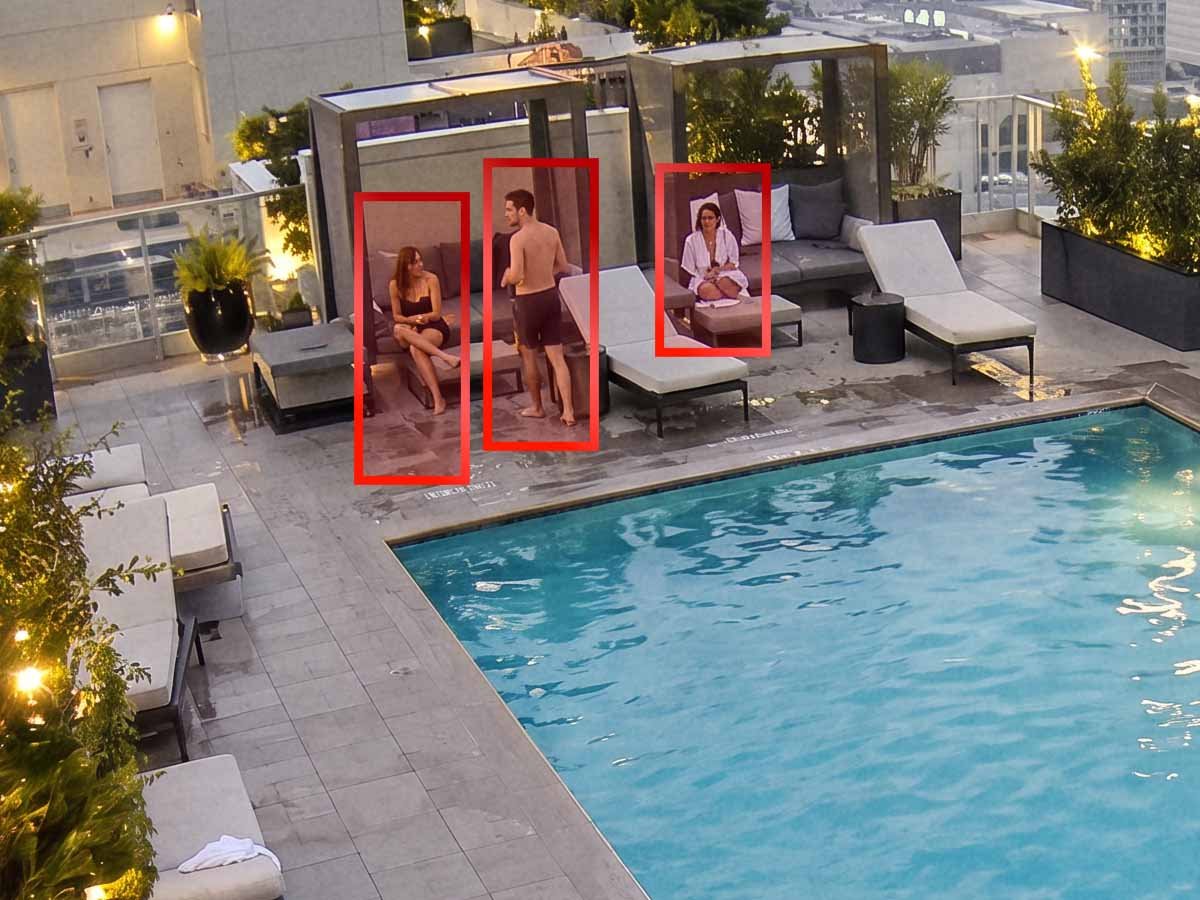
- Amenity areas: Pools, fitness rooms, lounges, and rooftop spaces should all have camera coverage. These areas are often accessible outside of staffed hours. During these periods, camera coverage is the primary security layer.
- Parking structures and exterior perimeters: Vehicle break-ins and unauthorized entry through parking areas are common in multifamily properties. Cameras should cover entry and exit lanes, pedestrian access points, and areas with limited natural visibility.
- Corridors: Cameras in hallways record movement between units and access points. Security teams can compare the footage against access control logs to confirm that a credential holder and the person using it are the same individual.
Camera types: How to choose security cameras for apartment buildings
The right camera depends on the installation location and the required coverage. 1080p resolution provides identification-quality footage. 4MP or higher is preferable for wide-angle views where digital zoom is needed after the fact. Cameras in parking structures, stairwells, and exterior locations require infrared (IR) or starlight sensors to produce usable footage in dim or dark conditions.
IK10-rated cameras withstand 20 joules of impact, equivalent to a 5 kg weight dropped from 40 cm. In locations where cameras are accessible to residents, visitors, or the public, such as elevators, stairwells, and parking areas, an IK10 rating is a practical requirement.
Using cameras that adopt the ONVIF standard prevents vendor lock-in by allowing for interoperability across different video platforms. Because it is an open protocol, manufacturers can design their hardware to connect to any compliant management software. If you switch to a different software platform in the future, you can keep using your existing camera hardware.
Wired cameras (Power over Ethernet, or PoE) are more reliable for permanent installations because they do not depend on wireless signal strength or battery replacement. Wireless security cameras for apartment buildings are appropriate for temporary coverage or locations where routing cable is not feasible, but they require consistent signal strength and regular power management.
| Factor | Dome | Bullet |
|---|---|---|
| Best placement | Lobbies, corridors, elevators | Exterior walls, parking areas, perimeters |
| Field of view | Wide, typically 90–120 degrees | Narrower, longer range |
| Vandal resistance | High when IK10-rated. Recessed design is harder to tamper with | Moderate. More exposed mounting |
| Low-light performance | Varies by model. Check for IR or starlight sensors | Varies by model. IR illuminators are standard on most exterior units |
| Visibility as deterrent | Subtle. Less obvious to occupants and visitors | Prominent. Visible mounting is a stronger visual deterrent |
| Weather resistance | Typically indoor-rated unless specified as IP66/67 | Commonly IP66/67-rated for outdoor use |
-
Best placement
Dome
Lobbies, corridors, elevators
Bullet
Exterior walls, parking areas, perimeters
-
Field of view
Dome
Wide, typically 90–120 degrees
Bullet
Narrower, longer range
-
Vandal resistance
Dome
High when IK10-rated. Recessed design is harder to tamper with
Bullet
Moderate. More exposed mounting
-
Low-light performance
Dome
Varies by model. Check for IR or starlight sensors
Bullet
Varies by model. IR illuminators are standard on most exterior units
-
Visibility as deterrent
Dome
Subtle. Less obvious to occupants and visitors
Bullet
Prominent. Visible mounting is a stronger visual deterrent
-
Weather resistance
Dome
Typically indoor-rated unless specified as IP66/67
Bullet
Commonly IP66/67-rated for outdoor use
How many cameras does an apartment building need, and what affects the cost?
It depends on the building's layout, the number of entrances and exits, the number of floors, the size of the parking structure, and the number of amenity spaces.
Having one camera per entrance and exit, one per stairwell entrance per floor, one per elevator, one per amenity space, and enough coverage in parking areas to capture entry and exit lanes and pedestrian access points is a practical starting point. A 100-unit mid-rise with two stairwells, one elevator, a lobby, a package room, a fitness center, and a 50-space parking garage might require 15 to 25 cameras. A 300-unit complex with multiple buildings, a parking structure, and several amenity spaces might require 60 or more.
The factors that affect total cost include:
- Number of cameras and their resolution and feature level
- Whether the installation is new construction or retrofit (retrofit often requires additional conduit and cabling)
- Recording infrastructure: cloud-based subscription vs. on-premise server hardware
- Retention period (longer retention periods increase storage requirements)
- Whether the system is self-managed or operated by a managed security provider
- Integration with existing access control or visitor management systems
A Kastle security expert can assess your building's layout and provide a detailed estimate.
Can existing cameras be used with a new system?
In many cases, yes. Apartment buildings generally have functional cameras installed, but they may be underutilized because they are not connected to a modern management platform.
An ONVIF-compatible camera can connect to a cloud management platform through a gateway device, which adds cloud storage, AI-powered search, and remote access without replacing the camera hardware. Kastle’s AI gateway works this way. It connects compatible cameras to a cloud-based management and analytics platform, so the property owner avoids the cost and disruption of a full replacement.
Cameras that are analog-only, damaged, or positioned incorrectly may need to be replaced regardless. Through a site assessment, the installer determines which cameras can be retained and which need replacement.
Cloud vs. on-premise video storage for apartment buildings
How long footage is stored, and where, is as important as what the cameras capture. A camera that recorded an incident three weeks ago is useless if the footage was overwritten after seven days.
With cloud-based storage, footage is stored on remote servers maintained by the provider. The storage capacity increases without additional on-site hardware. Footage is accessible from any authorized device, and the provider handles redundancy and backup. For buildings with multiple locations, footage from the portfolio is accessible from a single interface through cloud storage.
With on-premise storage, footage is held on local servers or NVRs (network video recorders) within the building. The building's IT or property team is responsible for hardware maintenance, software updates, and backup. If a server fails, footage stored on it may be unrecoverable.
Thirty days is a common baseline for retaining footage. Florida requires 30-day retention for multifamily properties implementing its liability-shield measures. Prince George's County in Maryland requires 30 days as a baseline for larger apartment communities, extending to 180 days when footage is requested by a tenant, law enforcement officer, or person with a bona fide interest in relation to an incident. Beyond regulatory minimums, the right retention period depends on the property's risk profile, insurance requirements, and how quickly incidents are typically reported.
Legal rules for security cameras in apartment buildings
Placement and audio recording are subject to legal restrictions that vary by state.
Video-only security cameras in lobbies, hallways, stairwells, parking structures, mailrooms, and amenity areas are permissible in most U.S. jurisdictions. These are shared spaces where residents and visitors have no reasonable expectation of privacy. Cameras directed at unit interiors, bathrooms, or any space where a person could reasonably expect privacy are prohibited.
Audio recording is where the legal risk increases. The Federal Wiretap Act governs "oral communications," which it defines as speech uttered by a person with a reasonable expectation that it won't be intercepted. The federal baseline is one-party consent, which means that recording is lawful if one party consents.
In addition to federal law, around a dozen states, including California, Florida, Illinois, and Maryland, require the consent of every party for audio recording. An active microphone on a camera in a common area of a building in one of those states may expose the property owner to criminal liability.
The safest approach is to disable audio recording on surveillance cameras or post conspicuous signage notifying residents and visitors that audio and video recording is in progress. Consult local counsel to confirm which rules apply to your property. When signage at building entrances and monitored areas is clearly posted, residents are on notice, and disputes are less common.
What is required to keep apartment security cameras working after installation?
A camera system that is installed and then left unmanaged will deteriorate over time. Camera connections may fail, firmware can become outdated, storage capacity may be exceeded, and lenses can be obstructed by dirt, weather damage, or physical tampering. A management dashboard does not reveal these issues. Someone needs to actively monitor the system's health to identify and address them.
Ongoing maintenance includes:
- Firmware and software updates to address vulnerabilities and maintain compatibility
- Regular verification that all cameras are online and recording
- Physical inspection of lenses, housings, mounts, and cable connections
- Storage capacity monitoring to prevent footage from being overwritten before the retention period expires
- Review and adjustment of camera angles as building use changes (renovated amenity spaces, new access points, altered traffic patterns)
When an incident occurs, property teams need to locate relevant footage quickly. Search for a platform with a video search tool that uses snapshots of the subject in the feed and returns close visual matches across all cameras, filtering out unrelated footage and narrowing the review to relevant results.
How managed apartment video security works
When responsibilities such as monitoring, maintenance, storage management, firmware updates, and incident response are distributed across a property management team, a separate IT vendor, and a hardware installer, a camera that has been offline for two weeks may only be discovered when footage is needed and unavailable.
Under a managed video surveillance model, one partner handles these responsibilities. The provider selects and installs the cameras, monitors system health, maintains hardware and software, manages storage and retention, and is the single point of contact when maintenance or a response is needed.
Kastle has provided security services for over 50 years and protected more than 60,000 businesses across the United States and Australia. Property teams work with one accountable partner for the entire security lifecycle.
Frequently asked questions
Most do, but the coverage area of security cameras at apartment complexes varies widely. Some buildings have cameras only at the main entrance, while others may have full coverage of entrances, exits, corridors, parking, and amenity spaces. The presence of cameras does not mean they are monitored, maintained, or producing usable footage.
Commercial-grade systems generally record continuously. Some are configured to record only when motion is detected, which uses less storage but can leave gaps in coverage. Continuous recording is the more reliable option for multifamily buildings where activity is constant.
The total cost depends on the number of cameras, resolution and feature requirements, whether the installation is new or retrofitted, the recording infrastructure (cloud vs. on-premise), the retention period, and whether the system is self-managed or operated by a managed provider. Talk to a Kastle security expert for an estimate tailored to your property.
The best security camera system for an apartment building begins with a resolution of at least 1080p for identification-quality footage. Cameras in parking areas and stairwells need low-light or IR capability. Look for ONVIF compatibility so the system is not locked to one vendor’s ecosystem. The retention policy should meet both your regulatory and operational requirements. And ask the provider for a clear answer about who will be responsible for the system after installation.
Existing ONVIF-compatible cameras can connect to a modern cloud-based management platform through a gateway device, which adds cloud storage, AI-powered search, and remote access. Through a site assessment, the installer determines which cameras can be retained.
Yes, in common areas. Generally, lobbies, hallways, stairwells, parking structures, and amenity spaces are all permissible locations. Cameras directed at unit interiors or private spaces are prohibited. Audio recording is subject to additional restrictions. Certain states require consent from all parties before recording audio. Disable audio on surveillance cameras or post clear notices, and consult local counsel for state-specific requirements.
Tell us about your project and our team will follow up.